The fastest, safest way to get more Google reviews is simple: ask at the right moment, hand customers a direct review link or QR code, automate one polite follow-up, and reply to every review you get. Skip anything that pays for or pressures a review. Google and the Federal Trade Commission both police that line closely, and the businesses that win long-term are the ones asking real customers for honest feedback, consistently.
TL;DR:
- Sending review requests within 24 to 72 hours after service, with a direct link or QR code, significantly increases submission rates.
- Placing review prompts on receipts, invoices, and service vehicles ensures high visibility and ease of access for customers.
- Repeatedly following up with polite reminders and tracking responses helps drive consistent review growth over time.
- Maintaining a verified, complete, and visually current Google Business Profile boosts conversion rates for review requests.
- Responses to reviews, especially addressing negative feedback calmly and promptly, can improve trust and attract new customers.
Table of Contents
- How Do You Get More Google Reviews Fast?
- A Simple Workflow: When and How Often to Request Reviews
- Optimize Your Business Profile So Review Requests Convert
- Replying to Reviews and Handling Negative Feedback
- Legal and Policy Guardrails (Google Policies and the FTC Rule)
- Measure What Matters: KPIs and Cadence for Review Programs
- Tools, Templates, and Short Scripts
- Realistic Expectations and Trade-Offs
- How Kirk & Co Helps You Turn Good Work Into Google Reviews
- Sources
- FAQ
How Do You Get More Google Reviews Fast?
You don't need a marketing budget to see movement in your review count this month. You need a link, a script, and a habit.
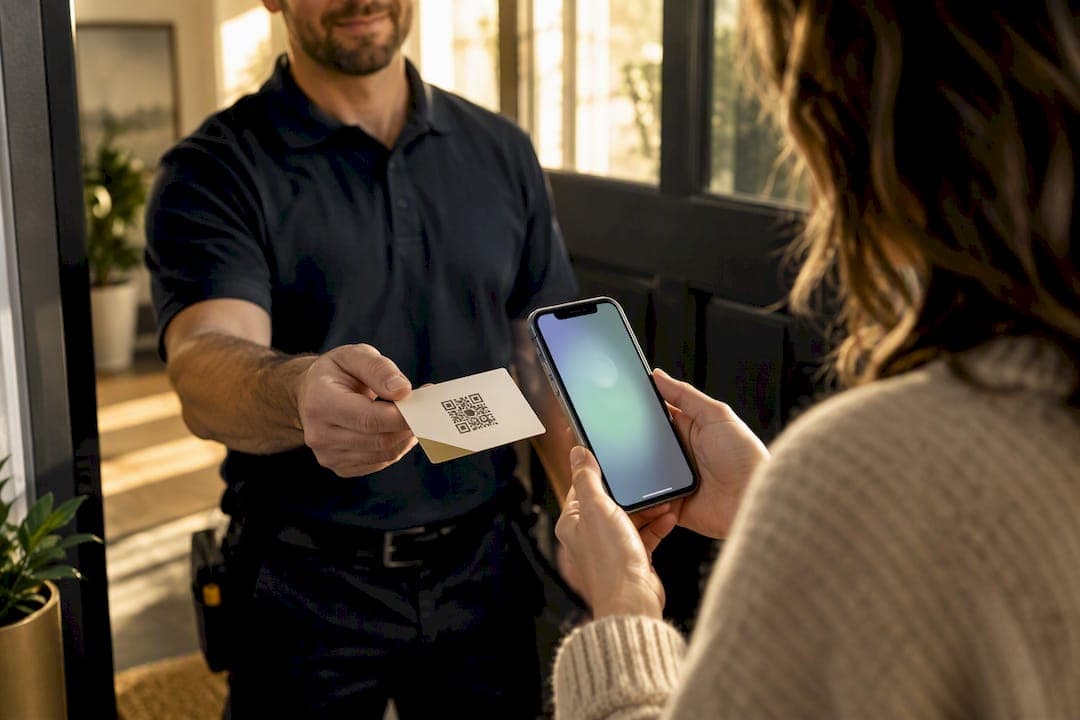
Start with your Google review link. Google Business Profile lets you generate a direct link or QR code that drops a customer straight into the review box, no searching required. Put that link everywhere a happy customer might see it right after a good experience: on printed receipts, in the footer of invoice emails, on a small counter sign at checkout, and on booking confirmation pages. The QR code version works well on yard signs, work van decals, and leave-behind cards for home service jobs.
The ask itself matters as much as the link. In person, keep it short and low pressure: "We'd really appreciate it if you left us a quick Google review. It helps other folks in town find us." Avoid anything that sounds like a trade, such as "leave a review and get a discount." That phrasing crosses into incentivized reviews, which Google explicitly prohibits.
Timing beats everything else. Send a follow-up text or email 24 to 72 hours after the job or purchase, while the experience is still fresh. A short SMS like "Thanks for choosing us today! Got 30 seconds? [link]" outperforms a long email nobody reads.
- Add the review link to receipts, invoices, and booking confirmations
- Place a QR code at checkout counters or on service vehicles
- Text or email the request within 24 to 72 hours of service completion
- Attach a post-job photo when relevant; it reminds the customer why they were happy
Pro Tip: Ask the technician or front-desk staff to say the request out loud AND hand over a printed QR card. People respond faster to a request they hear and see than to either alone.
A Simple Workflow: When and How Often to Request Reviews
Review requests work best as a system, not a one-off favor you remember to ask sometimes. Pick a trigger event first: job completion, delivery confirmation, or final invoice payment. That moment becomes the start of your request cadence.
- Initial request — sent within 24 to 72 hours of the trigger event, by SMS or email, with the direct review link included.
- Reminder — sent 5 to 7 days later only to customers who haven't responded, with a shorter, friendlier nudge.
- Final reminder — sent once more after another week, then stop. Repeated asks past this point read as pressure, which works against you.
BrightLocal's consumer review research backs the idea that asking consistently, not just once, drives more reviews over time, since many customers intend to leave one but forget without a nudge.
Log four basic fields for every request: date sent, channel used, customer identifier, and response status. That small spreadsheet or CRM habit tells you which channel converts best and stops you from double-messaging the same customer. If you're already tracking jobs in a system like Kirk CRM, this workflow slots in as one more automated step rather than an extra task.

Optimize Your Business Profile So Review Requests Convert
A review link only converts if the profile it lands on looks trustworthy. Before you push harder on requests, spend twenty minutes cleaning up your Google Business Profile.
- Confirm your listing is verified, with accurate hours, services, and categories
- Upload current photos. Listings with recent images read as active and cared for
- Add booking or contact links directly on the profile so the path from review to next customer stays short
- Place a "Leave a review" button prominently on your website, not buried in a footer link
Microcopy matters more than businesses expect. "Had a great experience? Tell Google in 30 seconds" converts better than a bare "Review us" button, because it removes the guesswork about time commitment. Pair that with a small printed QR code near your register or in your waiting area, and you've covered both digital and physical touchpoints without extra staff effort.
Replying to Reviews and Handling Negative Feedback
Every review deserves a reply, good or bad. Google itself encourages responses and treats a mix of feedback, not a spotless five-star page, as more trustworthy to future customers.
For positive reviews, keep it short: thank the customer by name and mention a specific detail from their comment. For negative reviews, acknowledge the issue, apologize where warranted, and invite them to continue the conversation offline through a phone number or email.
- Reply to positive reviews within 48 hours with a specific, personal thank you
- Reply to negative reviews calmly, then move details offline
- Document what you offered to fix the problem in case the review resurfaces in a dispute
- Never publicly ask a customer to edit or delete a review. It violates trust and often backfires
Pro Tip: A thoughtful public reply to a one-star review often does more to win new customers than ten glowing five-star reviews sitting unanswered.
Legal and Policy Guardrails (Google Policies and the FTC Rule)
Google's policy is direct: no incentivized reviews, no coordinated review campaigns, no fake testimonials. Offering a discount, gift card, or freebie in exchange for a review is prohibited, even if the review turns out positive on its own merits.
The FTC's final rule, effective August 2024, adds federal teeth to this. Businesses that knowingly buy, sell, or write fake reviews now face civil penalties, not just a takedown notice.
- Ask real customers for honest feedback, with no strings attached
- Never offer money, discounts, or products in exchange for a review
- Report suspected fake reviews through Google's flagging tools and keep screenshots as evidence
- Keep records of who you asked and when, in case a dispute arises
Staying compliant isn't complicated. It just means every request goes to a real customer who actually did business with you, with nothing exchanged for the review itself.
Measure What Matters: KPIs and Cadence for Review Programs
Track a handful of numbers monthly instead of obsessing over your star rating alone.
- New reviews per month — your core volume metric
- Average rating trend — watch direction, not just the current number
- Recency — reviews collected in the last 90 days signal an active business, which BrightLocal's research ties directly to consumer trust
- Reply rate — aim for 100% within a few days
Set targets relative to your job volume. A shop closing 40 jobs a month asking consistently should expect several new reviews monthly, not zero. A sudden spike of reviews in a single day, especially from accounts with no other activity, is a red flag worth investigating rather than celebrating.
Tools, Templates, and Short Scripts
Keep these on hand so nobody on your team has to improvise:
- SMS: "Thanks for choosing us! Mind leaving a quick Google review? [link]"
- Email subject line: "Got 30 seconds for us?"
- In-person line: "If you were happy with the work today, a Google review would mean a lot to us."
- QR placement checklist: receipt, invoice footer, checkout counter, service vehicle, waiting area
- Tracking fields: request date, channel, staff member, customer ID, response status, rating
Realistic Expectations and Trade-Offs
Steady, honest requests beat any risky shortcut. Automation saves staff time, but a personal ask still converts better. If your team is stretched thin, that's the moment to consider a website or CRM built to handle the follow-up for you.
— Elijah
How Kirk & Co Helps You Turn Good Work Into Google Reviews
Most small teams lose reviews to the same problem: nobody remembers to send the follow-up, or the review link is buried three clicks deep on a slow website. Kirk & Co Software fixes that by building the request into your website and your workflow, not into another app you forget to open.

A custom-coded site from Kirk & Co puts your Google review link and QR code exactly where customers see them right after a job, whether that's a booking confirmation page or a mobile-optimized contact footer. Pair that with Kirk CRM, which starts at $49 a month for the Starter Business Manager plan or $79 a month for Business Manager Premium after a free seven-day trial, and you get automated follow-up texts and emails tied to the moment a job closes, plus a single view of every request you've sent and every reply still owed. Contractors and home service businesses already use it to stop chasing follow-ups on sticky notes.
If your current site was built years ago and buries your review link where nobody scrolls, take a look at Kirk & Co's website design services or browse the portfolio to see how other Indiana businesses put review CTAs front and center. Ready to fix the gap between good work and a full review page? Get in touch and start with a free quote.

Sources
Review Google's own review link and QR code guide, its tips for getting more reviews, the FTC's fake review rule, and BrightLocal's consumer review research for deeper detail on any point above. For a broader look at how reviews connect to revenue, that research pairs well with the tactics here.
- Create a Google link or QR code to request reviews - Google Business Profile Help
- Federal Trade Commission Announces Final Rule Banning Fake Reviews and Testimonials
- Local Consumer Review Survey — BrightLocal
FAQ
Is It Legal to Buy Google Reviews?
No. The FTC's final rule bans buying, selling, or writing fake reviews and exposes knowing violators to civil penalties. Google also prohibits incentivized reviews and can remove your listing's reviews or take other action if it detects manipulation.
How Can I Get More Google Reviews Without Spending Money?
Ask every customer directly, right after service, using a free Google-generated review link or QR code placed on receipts and invoices. Following up once by text or email within 24 to 72 hours, then replying to every review you receive, costs nothing but consistency.
How Many 5-Star Reviews Does It Take to Raise My Rating?
It depends entirely on your existing review count and average, since Google's rating is a weighted average, not a simple count. Focus on steady monthly volume rather than a single target number.
How Do I Get a Large Number of Google Reviews Over Time?
Build a repeatable habit: request at a consistent trigger point, follow up once, and keep your review link visible on your website and in every invoice. A tool like Kirk CRM can automate that follow-up step so the habit doesn't depend on someone remembering to send it manually.