
Publish a JSON-LD block using the most specific LocalBusiness subtype your business fits (Restaurant, Electrician, Dentist) and populate it with core fields that exactly match your Google Business Profile: name, address, phone number, URL, and hours. That's local schema markup done right, and it's the single highest-leverage technical fix most local business websites are missing.
Schema markup won't push you into the map pack by itself. What it does is remove ambiguity. It tells Google, Bing, and increasingly AI answer engines exactly who you are, where you are, and when you're open, in a format machines parse without guessing. That clarity supports knowledge panels and improves your odds of being cited correctly when someone asks ChatGPT or Google's AI Overviews for a recommendation near them.
Before you touch a line of code, know your validation stack:
- Google Rich Results Test checks whether your markup qualifies for enhanced search features.
- Schema is the vocabulary source, the place to confirm property names and subtype options.
- Google Search Console's structured data reports flag live errors on pages already indexed.
Get the subtype and the required fields right first. Everything else, geo coordinates, price range, review markup, is secondary polish. At Kirk & Co Web Design, every hand-coded site we build carries this exact discipline: one accurate LocalBusiness block, matched field for field against the client's Google Business Profile, checked monthly.
Key Takeaways
Local schema markup works when the JSON-LD's required fields, especially name, address, and phone number, match your Google Business Profile exactly and use the most specific LocalBusiness subtype available.
| Point | Details |
|---|---|
| Pick the right subtype | Use a specific type like Plumber or Restaurant instead of generic LocalBusiness whenever one applies. |
| Match NAP exactly | Name, address, and phone number in schema must mirror your Google Business Profile character for character. |
| One block per location | Multi-location businesses need a distinct LocalBusiness block for each address, linked to a sitewide Organization. |
| Validate before and after publishing | Run the Rich Results Test and Schema.org validator, then monitor Search Console monthly for new errors. |
| Update schema with every business change | New hours, phone numbers, or addresses need to hit your JSON-LD the same week they change anywhere else. |
Ready to put this into practice on a site built to carry it correctly from day one? Kirk & Co Web Design's custom website development bakes accurate local schema into every hand-coded build, backed by ongoing maintenance and monthly validation checks so your markup never drifts out of sync with your Google Business Profile.
Table of Contents
- Essential Properties And Recommended Fields For Local Business Schema
- How Do You Add Local Business Schema To Your Site?
- How Do You Test And Monitor Local Schema Markup?
- Multi-Location And Service-Area Schema Patterns
- What Are The Most Common Local Schema Mistakes?
- How Kirk & Co Web Design Implements And Maintains Local Schema
- Elijah's Take: Why Schema Gets Oversold And Underbuilt At The Same Time
- Docs And Tools Worth Bookmarking
- Sources
Essential Properties And Recommended Fields For Local Business Schema
Schema markup for local business breaks into two tiers: fields Google expects to see, and fields that strengthen your listing but aren't strictly required. Skipping the first tier means your markup may not validate at all. Skipping the second just means you're leaving detail on the table.
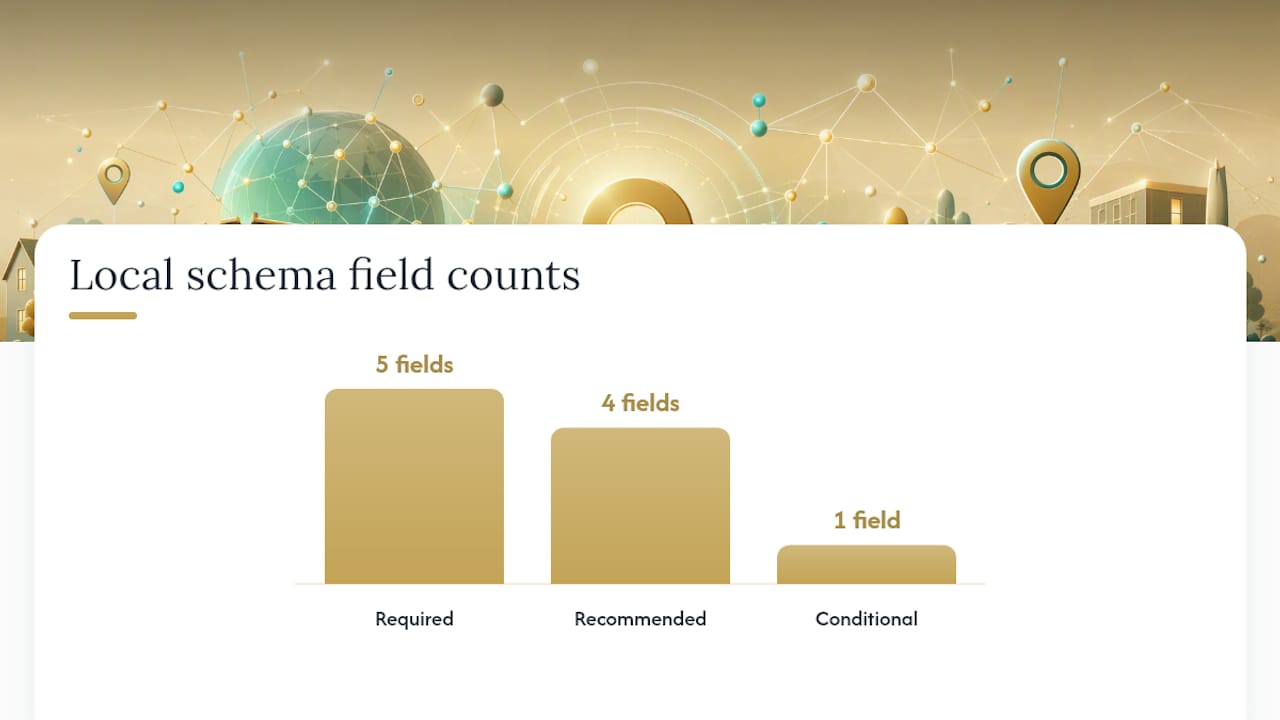
Required fields, per Google's structured data documentation, are:
name: your business's legal or commonly known name, matched exactly to your Google Business Profile.address: structured as aPostalAddressobject, not a flat string.telephone: in a consistent, dialable format.url: the canonical URL of the page the schema lives on.openingHoursSpecification: your hours, structured (not a sentence like "open weekdays").
The PostalAddress object needs its own sub-properties: streetAddress, addressLocality, addressRegion, postalCode, and addressCountry. Skip one of these and validators will often still pass the block, but incomplete addresses weaken the entity match Google is trying to make between your site and your Business Profile.
Recommended properties add depth without being mandatory:
geo: aGeoCoordinatesobject withlatitudeandlongitude, useful for precise map matching.priceRange: a short string like "$$" or "$10 to $30" that sets customer expectations.image: a URL to a representative photo, ideally your logo or storefront.sameAs: an array of URLs to your verified social profiles and directory listings.aggregateRating: only when you have genuine reviews displayed on that same page.
Here's where formatting trips people up. Telephone numbers should be consistent across every page and match your Google Business Profile character for character, including area code formatting. Opening hours use the OpeningHoursSpecification type with a dayOfWeek array and opens/closes values in 24 hour time ("09:00", not "9am"). Geo coordinates should reflect your actual building location, not a rounded city center point. Price range should feel true to what a first time customer would guess before calling.
| Property | Type | Required? |
|---|---|---|
| name | Text | Yes |
| address | PostalAddress | Yes |
| telephone | Text | Yes |
| url | URL | Yes |
| openingHoursSpecification | OpeningHoursSpecification | Yes |
| geo | GeoCoordinates | Recommended |
| priceRange | Text | Recommended |
| image | URL | Recommended |
| sameAs | URL array | Recommended |
| aggregateRating | AggregateRating | Conditional |
Schema.org's LocalBusiness type also unlocks subtype-specific fields once you pick the right one. A restaurant can add servesCuisine and menu. A dentist can add availableService. Generic LocalBusiness doesn't get access to those, which is exactly why the subtype choice matters more than most site owners assume.
Pro Tip: Never mark up aggregateRating with review counts you can't back up on the same page. Google treats fabricated or unverifiable review markup as a policy violation, and it can trigger a manual action that costs you far more visibility than the missing stars would have gained you.
How Do You Add Local Business Schema To Your Site?
Getting the code onto your site correctly matters as much as writing it correctly. Here's the sequence that avoids the most common breakage.
- Place the script in the
<head>element of the page it describes. JSON-LD doesn't need to sit near visible content since it's not rendered, but it does need to load reliably, so avoid burying it in a footer template that some pages skip. - Use one LocalBusiness block per physical location. If you run three shops, you need three distinct blocks, each with its own address, phone number, and hours. Combining locations into a single block confuses the entity match and is one of the fastest ways to see structured data warnings in Search Console.
- Separate Organization from LocalBusiness when it makes sense. A single location business can usually get away with one LocalBusiness block. A business with a parent brand and multiple storefronts benefits from a sitewide
Organizationentity, with each location'sLocalBusinessblock referencing it through@id. - Escape special characters properly. Apostrophes in business names, ampersands, and quotation marks inside JSON strings need proper escaping or the entire block fails to parse. A single unescaped quote mark breaks the whole script.
- Test before and after publishing, not just once at launch.
Here's an annotated example for a single location plumbing business:
{
  "@context": "https://schema.org",
  "@type": "Plumber",
  "@id": "https://example.com/#business",
  "name": "Example Plumbing Co",
  "image": "https://example.com/logo.png",
  "url": "https://example.com",
  "telephone": "+1-317-555-0142",
  "priceRange": "$$",
  "address": {
    "@type": "PostalAddress",
    "streetAddress": "123 Main St",
    "addressLocality": "Indianapolis",
    "addressRegion": "IN",
    "postalCode": "46201",
    "addressCountry": "US"
  },
  "geo": {
    "@type": "GeoCoordinates",
    "latitude": 39.7684,
    "longitude": -86.1581
  },
  "openingHoursSpecification": [
    {
      "@type": "OpeningHoursSpecification",
      "dayOfWeek": ["Monday", "Tuesday", "Wednesday", "Thursday", "Friday"],
      "opens": "08:00",
      "closes": "17:00"
    }
  ],
  "sameAs": [
    "https://www.facebook.com/exampleplumbing",
    "https://www.instagram.com/exampleplumbing"
  ]
}
Notice the subtype is Plumber, not LocalBusiness. That single choice, per Schema.org's type hierarchy, is what unlocks better entity recognition and any subtype-specific properties down the line.
A structured data block is only as good as its weakest field. One malformed address or a phone number that doesn't match your Google Business Profile can undercut an otherwise perfect implementation, because search engines cross-reference these signals rather than trusting any single source in isolation.
If you're building on WordPress, most page builders let you paste JSON-LD into a custom HTML block or header script field. Just confirm the theme isn't already injecting a competing LocalBusiness block through an SEO plugin, since duplicate schema types on the same page cause validation conflicts. For hand-coded sites, the block goes straight into the template's head partial, which is one advantage of not relying on a plugin ecosystem you don't control.
How Do You Test And Monitor Local Schema Markup?
Writing the JSON-LD is half the job. Confirming it actually validates, and stays valid, is the other half, and it's the step most business owners skip until something breaks.
Start with the Rich Results Test. Paste in your URL or raw code, and it tells you whether your markup is eligible for enhanced search features, flagging missing required fields immediately. Follow that with the Schema.org Structured Data Validator, which checks strict vocabulary correctness rather than Google-specific eligibility. The two tools catch different problems: Rich Results Test tells you if Google can use it, the validator tells you if the syntax itself is sound.
Once your markup is live, Search Console's structured data reports become your ongoing dashboard. Check them for:
- Errors, which mean a field is malformed or missing and the block may not be read at all.
- Warnings, which mean the block validates but is missing a recommended field.
- A dropping "valid items" count, which often signals a template change broke your schema across multiple pages at once.
Pro Tip: Recheck your schema every time you update your address, hours, or phone number anywhere else, since a change in Google Business Profile that isn't mirrored in your JSON-LD creates the exact mismatch search engines are trained to distrust.
Set a recurring calendar reminder, monthly at minimum, to run a spot check. Businesses that change seasonal hours or add locations tend to forget the schema update entirely, and stale markup sitting next to accurate on-page content is its own kind of red flag.

Multi-Location And Service-Area Schema Patterns
Businesses with more than one storefront, or no storefront at all, need a different structure than a single-location shop.
- Chains and franchises: publish one sitewide
Organizationentity describing the brand, then a distinctLocalBusinessblock on each location page, linked back to the Organization through@idandparentOrganization. This tells search engines these are related but distinct entities, each deserving its own local visibility. Per Gatilab's implementation guide, duplicating the same block across every location page instead of writing unique ones is one of the most common ways multi-location schema quietly degrades over time. - Service-area businesses (mobile mechanics, home cleaning services, traveling contractors) that don't serve customers at a fixed address should use
areaServedto list the cities, counties, or radius they cover, and can omitstreetAddresswhen the business address is genuinely private or nonexistent. Forcing a public address onto a business that operates from a residential garage misrepresents the business and can conflict with Google Business Profile guidelines. - Canonical URL discipline matters here more than anywhere else. Each location page needs its own canonical tag matching its own URL, and its own unique LocalBusiness block. Copying one location's schema to five other location pages with only the address swapped is a template mistake that creates duplicate entity signals across your own domain.
Clean, distinct per-location markup has been linked to portfolio-wide local-pack gains in industry case studies, which makes the extra setup time on page two through page twenty worth it, even when it feels repetitive.
What Are The Most Common Local Schema Mistakes?
Most local schema problems trace back to a handful of repeat offenders, and all of them are fixable in under an hour once you know where to look.
- NAP mismatches. Your name, address, and phone number in the schema must match your Google Business Profile exactly, including abbreviations. "St." in your schema and "Street" on your GBP listing is a mismatch Google's systems can flag.
- Generic
LocalBusinessinstead of a specific subtype. UseLocalBusinessonly when nothing more specific fits. A bakery marked as generic LocalBusiness loses access to bakery-relevant properties and sends a weaker entity signal. - Fabricated or off-page review markup. Only include
aggregateRatingwhen real reviews are visible on that exact page, per Schema.org's guidelines. Pulling star ratings from a third-party site and displaying them without the underlying reviews violates Google's structured data policies. - Duplicated or stale blocks. Old hours left in place after a schedule change, or the same schema block copy-pasted across pages, both create the kind of quiet inconsistency that erodes trust signals over months, not days.
- Missing updates after business changes. A new phone number, a moved location, a name change through a rebrand, all need to hit the schema the same week they hit the storefront sign.
Run a quarterly audit against your live Google Business Profile. It takes fifteen minutes and catches drift before it compounds.
How Kirk & Co Web Design Implements And Maintains Local Schema
Every site Kirk & Co Web Design hand-codes for a client gets local schema built in from the first commit, not bolted on later as an afterthought. That's a deliberate difference from template-based builds, where schema is often an auto-generated plugin output that doesn't reflect the business's actual subtype or current hours.
Our rollout follows a consistent sequence:
- Audit the client's existing Google Business Profile and reconcile it against any schema already live on the site.
- Implement one LocalBusiness block per physical location, using the most specific available subtype.
- Validate through Rich Results Test and the Schema.org validator before the page goes live.
- Monitor monthly under our maintenance plans, checking Search Console for new errors after any content or hours update.
| Stage | What We Check |
|---|---|
| Audit | GBP details match proposed schema fields |
| Implement | Correct subtype and required properties present |
| Validate | Passes Rich Results Test and Schema.org syntax check |
| Monitor | Search Console shows zero structured data errors |
You can see this workflow reflected across our portfolio of live Indiana business sites, where fast load times and accurate structured data work together rather than as separate concerns.
Elijah's Take: Why Schema Gets Oversold And Underbuilt At The Same Time
Most advice on local schema markup treats it like a ranking lever you pull and watch move. It isn't. It's closer to a translation layer, one that only pays off when everything else, your Google Business Profile, your NAP consistency, your actual page content, already agrees with it.
Where I think the conventional advice falls short is the obsession with recommended fields before the required ones are even correct. I've seen sites with a beautifully populated aggregateRating and sameAs array sitting on top of an address that doesn't match their Google Business Profile. That's backwards. Get the four or five required fields bulletproof and consistent first.
The other overlooked point: schema needs a maintenance habit, not a launch date. A business that updates its holiday hours on Google Business Profile but not in its JSON-LD has just created the exact inconsistency search engines are built to notice.
— Elijah
Docs And Tools Worth Bookmarking
- Google Search Central's Local Business structured data guide and its Rich Results Test.
- Schema and OpeningHoursSpecification reference.
- Search Engine Journal's local schema guide for broader context.
- BabyLoveGrowth's JSON-LD schema generator for a quick starting template.
Sources
- Local business (LocalBusiness) structured data — Google Search Central
- Schema
- Local SEO Schema: A Complete Guide To Local Structured Data & Rich Results — Search Engine Journal