
Build a dedicated location page only when you genuinely serve that place and can add local, original content that no other page on your site already covers. If you can't clear that bar, a broader service-area page does the job without the doorway-page risk.
Here's your roadmap: we'll define location pages versus service-area pages, give you three qualification tests for whether a city earns its own URL, hand you a field-ready on-page checklist, cover the architecture that keeps large sites from cannibalizing themselves, and walk through the exact templates Kirk & Co Web Design uses for clients. You'll also get a publish acceptance test and an audit cadence so pages don't quietly rot.
Three things to know before you build anything:
- LocalBusiness schema is not optional for a page that claims to serve a location. It has to match what's on the page and in your Google Business Profile.
- KPIs like local keyword rankings, calls, and booking conversions tell you which pages are pulling weight, not just traffic counts.
- Kirk & Co Web Design builds these pages hand-coded for speed, because a slow location page loses local searchers before it ever gets the chance to convert them.
Key Takeaways
Location pages succeed when they pair genuine local proof and correct schema with disciplined architecture that prevents thin, duplicate pages from competing against each other.
| Point | Details |
|---|---|
| Qualify before you build | Use serviceability, demand, and unique local content as the three-part test for any new city page. |
| Match schema to reality | LocalBusiness schema must mirror your Google Business Profile and visible page content exactly. |
| Structure by service first | Hub-and-spoke architecture (service hub linking to city pages) scales better than location-first URLs. |
| Audit every quarter | Track rankings, calls, and conversions, then refresh, merge, or 301 pages that stop earning results. |
| Build for speed and proof | Kirk & Co Web Design hand-codes location pages with matched schema and mobile-first CTAs to avoid the slow, generic pages that hurt local rankings. |
Table of Contents
- What Are Location Pages and Service-Area Pages in SEO?
- Does This City Deserve Its Own Location Page?
- What Should Every Location Page Include?
- How Do You Structure Location Pages So They Don't Compete With Each Other?
- What Modules Belong in a Location Page Template?
- How Kirk & Co Web Design Builds Location Pages That Hold Up
- How Do You Know a Location Page Is Ready to Publish?
- Why Fewer, Better Location Pages Beat Mass Publication
- Get Location Pages Built to Rank and Load Fast
- Frequently Asked Questions
- Sources
What Are Location Pages and Service-Area Pages in SEO?
A location page represents a real, physical address, a storefront, office, or branch someone can walk into. A service-area page represents a territory you serve without a fixed location there, a plumber who drives to five counties, a landscaper who covers three towns without a local yard.
Both exist to capture local search intent, but they solve different problems.
- Location pages fit businesses with brick-and-mortar presence: retail stores, restaurants, clinics, and multi-branch offices. Each page should reflect one physical address with its own hours, staff, and local details.
- Service-area pages fit businesses that travel to the customer: home services, contractors, mobile repair, cleaning companies. Service area pages can earn organic rankings for towns a business serves even without a storefront there, and search engines sometimes call these city landing pages.
- Hybrid setups apply to franchises or regional service companies with a few flagship locations and a wider service footprint around each one.
Your Google Business Profile listing works alongside these pages, not instead of them. GBP drives map pack visibility for your primary address; location and service-area pages drive organic rankings and give you room to say things a GBP listing can't, like naming specific neighborhoods, past projects, or local partnerships.
Does This City Deserve Its Own Location Page?
Before you spin up a new URL for every town in your service radius, run each candidate city through three tests. Most cities will fail at least one, and that's the point.
- Serviceability: Do you actually have staff, inventory, or the logistics to serve this city reliably? If you'd have to stretch your team thin to cover it, it's not ready for its own page.
- Demand: Is there measurable search volume or a track record of leads from that city? A page with zero demand behind it is just weight on your sitemap.
- Unique local content: Can you write something true and specific about your work there, a completed job, a local partnership, a neighborhood you know well? If the honest answer is "no, we'd just swap the city name," that's a page you shouldn't build.
Sort qualifying cities into tiers. Tier one cities, where you have deep history and strong demand, deserve full pages with unique proof. Tier two cities, solid but thinner, can run shorter pages on a shared regional template. Anything that doesn't clear the bar gets folded into a broader service-area page covering the whole region instead of standing alone.
Pro Tip: If you're debating whether a city is "tier two" or "should be cut," ask whether you could defend that page in a Google spam review. If the content is just a city name swapped into a template, the answer is no.
Doorway page risk shows up exactly here, when a business publishes dozens of near-identical city pages with no proof, no distinct content, and no genuine local presence behind them.
What Should Every Location Page Include?
Once a city clears the qualification tests, the page itself needs to earn its ranking. Here's the checklist Kirk & Co Web Design runs through on every build.
Local keywords and metadata
Place your primary local keyword, city plus service, in the title tag, the H1, the URL slug, and at least one image alt tag. Don't force it into every sentence. A title like "Roof Repair in Bloomington, IN | [Business Name]" reads naturally and still signals intent clearly to search engines.
NAP, click-to-call, and mobile buttons
Your name, address, and phone number should appear in the same format on every page, matching your GBP listing exactly. On mobile, put a tap-to-call button in the header, not buried in a footer. A visitor searching "electrician near me" on their phone wants one tap between finding you and calling you.
Maps: embedded vs. service-area
If you have a physical address, embed a Google Map pinned to that location. If you're a service-area business without a storefront, skip the pin and use a coverage map or a simple list of neighborhoods and ZIP codes instead, pinning a map to an address you don't actually serve customers from creates a mismatch between your schema and your GBP data.
Reviews and photos with captions
Pull reviews specific to that city or that crew whenever you can, generic five-star quotes with no local context don't build trust the way a review naming a street or neighborhood does. Pair photos with captions that name the job and the location: "Kitchen remodel completed in Carmel, March 2026" beats an uncaptioned stock photo every time.

LocalBusiness schema, done right
Schema is table-stakes for a modern location page. At minimum, mark up your business name, address, phone, hours, and service area using LocalBusiness schema, and layer FAQPage and Review schema on top where relevant. The technical specifics matter here: field names, nesting, and required properties all affect whether search engines parse the markup correctly, and a detailed schema implementation guide is worth bookmarking before you hand this off to a developer.
One rule that trips up more businesses than any other: your schema has to match your visible page content and your GBP profile. If your schema says you're open until 8 PM and your page says 6 PM, that inconsistency creates conflicting entity signals search engines don't resolve in your favor.
FAQs built for snippets and AI
Write FAQs as literal questions a local customer would type, "Do you offer same-day appointments in [City]?", not vague marketing copy. Question-formatted headers with direct, scannable answers increase how often AI assistants and search features pull your content directly into results.
High-performing location pages that follow this checklist can start ranking in as little as 48 hours when they include genuine local value instead of a templated shell, according to Backlinko's research on what makes location pages rank, convert, and get cited.
How Do You Structure Location Pages So They Don't Compete With Each Other?
Architecture is where most multi-location sites quietly sabotage themselves. Ten pages all targeting slightly different versions of the same search intent split your authority instead of building it.
Use a hub-and-spoke structure: a service hub page (say, /services/roof-repair/) links out to individual city pages (/roof-repair/bloomington/, /roof-repair/carmel/). This groups pages by the service first and the city second, which scales more cleanly than a location-first structure as you add cities. This structure follows real-world business logic: map your actual locations and services first, then build pages that reflect that structure rather than inventing pages to chase keywords.
A few architecture rules worth locking in early:
- If you serve 10 or fewer cities, link to every one directly from your main navigation.
- Beyond that, list them in an HTML sitemap so crawlers can find pages that don't fit in a nav menu.
- Submit an XML sitemap covering every live location and service-area page, and keep it current as pages are added or retired.
- Link from each city page back to its parent service hub, and cross-link nearby cities where it's genuinely useful to the reader, not just to pad internal links.
Governance matters as much as structure. Set a rule for who can create a new location page (not just anyone with CMS access), require a minimum content bar before publishing, and review the full set of pages on a fixed schedule. When two pages start targeting the same intent, merge them and 301 redirect the weaker one rather than letting them compete for the same rankings indefinitely.
What Modules Belong in a Location Page Template?
Templates only work if they're built from modules, fixed brand elements plus swappable local content, rather than a single block of text with the city name find-and-replaced. Two templates cover most use cases.
Physical location template:
- Hero module: business name, city, primary service, and a clear CTA above the fold ("Call Now" or "Book a Visit").
- Services module: a short list of what you offer at that location, each item linking to its deeper service page.
- Proof module: one specific local job, a review quote tied to that city, and a captioned photo.
- Map and hours module: embedded map, hours, and directions.
- FAQ module: three to five location-specific questions.
Service-area template:
- Hero module naming the service and the coverage region, not a single address.
- Coverage module listing neighborhoods, ZIP codes, or a travel-radius statement.
- Proof module with a recent job completed somewhere in that territory.
- FAQ module addressing response times and whether you charge for travel.
This modular approach is what makes scaling possible without falling into the doorway-page trap: templates work when local proof and local FAQ content vary page to page, even when the layout stays consistent. Contractors and other home-service businesses tend to lean hardest on the service-area version, since service-area SEO depends on proving coverage rather than a fixed address.
How Kirk & Co Web Design Builds Location Pages That Hold Up
Every location page Kirk & Co Web Design builds is hand-coded, not assembled from a page builder or a template plugin. That decision matters more for local SEO than most business owners realize: a bloated, plugin-heavy page loads slower, and a slow location page loses mobile searchers, the exact audience typing "near me" queries, before it finishes rendering.
A few things that show up in how these builds get maintained:
- Every location page ships with LocalBusiness schema matched precisely to that client's Google Business Profile.
- Pages get monitored under a monthly maintenance plan, so a listing change or new review doesn't sit stale for months.
- Clients get an evidence pack of before-and-after performance data when Kirk & Co Web Design rebuilds a slow or underperforming site.
Pro Tip: If your current location pages take more than three seconds to load on mobile, fix that before you touch content. Performance optimization often moves the needle faster than adding another paragraph of copy.
How Do You Know a Location Page Is Ready to Publish?
Run every new page through this acceptance test before it goes live:
- Does the page name a real service tied to a real location or coverage area?
- Does the coverage or address information match your GBP listing exactly?
- Does it include at least one piece of genuine local proof, a review, a job, a photo with a caption?
- Does the booking or call path work cleanly on mobile?
- Does the schema validate and match the visible content?
After publishing, track local keyword rankings, impressions, calls, and booking conversions, not just raw traffic. A page with high impressions and no calls has a conversion problem; a page with no impressions has a visibility problem, and they need different fixes.
Set a quarterly audit cadence: pull the metrics, flag pages with no movement, and decide whether to refresh the content, merge it into a stronger page, or retire it with a 301 redirect. A page that's earned nothing in two straight quarters is a liability, not an asset.
Why Fewer, Better Location Pages Beat Mass Publication
The instinct to publish a page for every city within driving distance is understandable and almost always wrong. Quality outperforms volume here, and the data backs that up: pages with thin, duplicated content are exactly what gets flagged as doorway pages, while a handful of genuinely well-built pages can outrank dozens of copy-pasted ones.
Hiring a specialist makes sense once you're past three or four locations and the content and technical demands start outpacing what your team can maintain in-house. Below that, a careful DIY approach with real local content usually holds up fine.
Watch for three red flags that a page has slipped into doorway territory: it reads identically to your other city pages except for the city name, it has zero local proof (no reviews, no photos, no specifics), and it was published as part of a batch of ten or more pages on the same day.
Get Location Pages Built to Rank and Load Fast
If you've read this far, you already know the hard part isn't writing another city page, it's building pages fast enough and specific enough to actually rank. Kirk & Co Web Design hand-codes every location and service-area page from scratch, which means no bloated builder scripts slowing down the mobile searchers who matter most for local intent.

Every build includes LocalBusiness schema matched to your Google Business Profile, mobile-first click-to-call buttons, and the modular proof sections this article covers, reviews, local job snippets, coverage maps, so your pages avoid the doorway trap instead of risking it. Ongoing plans include maintenance and content refreshes, so pages don't go stale the way a set-and-forget template does. Browse live examples in the Kirk & Co Web Design portfolio, check pricing for a custom build, or start with a custom website development consultation to see what a hand-coded location strategy would look like for your business.
Frequently Asked Questions
What's the difference between a location page and a service-area page? A location page represents a physical address customers can visit. A service-area page represents a territory a business travels to without a fixed local storefront there.
How many location pages should a small business create? Only as many as pass the serviceability, demand, and unique-content test. A handful of strong pages will consistently outperform a large batch of thin, near-identical ones.
Does location pages SEO require LocalBusiness schema on every page? Yes. Every page representing a location or service area should carry LocalBusiness schema that matches the visible content and your Google Business Profile exactly.
How often should I audit my location pages? Quarterly. Check rankings, impressions, calls, and conversions each cycle, then refresh, merge, or remove pages that aren't earning results.
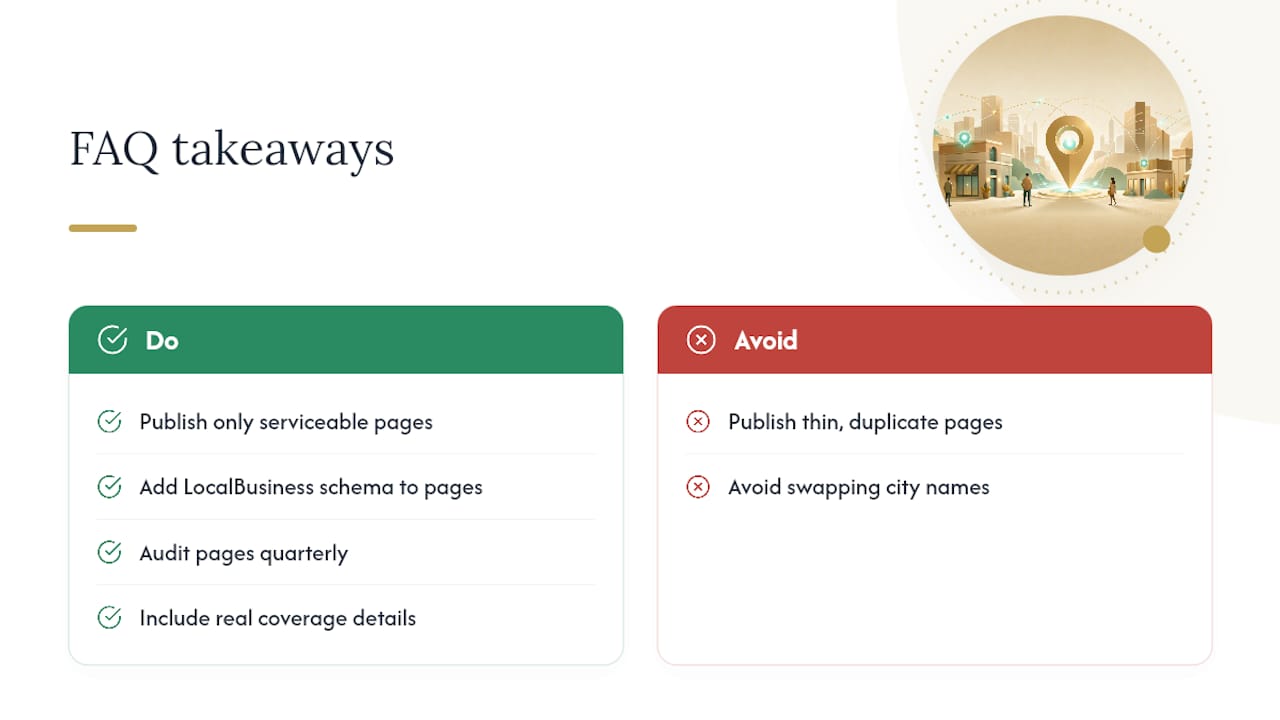
Can a service-area business rank without a physical address in that city? Yes. Service-area pages can earn organic rankings for towns a business serves, provided the page includes real coverage details and local proof rather than a swapped city name.
Sources
- Service area pages: Boost local SEO across locations
- How to Build Location Pages That Rank, Convert, and Get Cited
- Local SEO: multiple locations and best practices