
If you need to sell online within weeks and your catalog is straightforward, Shopify is the faster, lower-risk starting point. If your business logic, local SEO goals, or long-term margins make platform fees and structural limits genuinely costly, a custom-coded site is the smarter investment. The decision comes down to one trade-off: speed and managed simplicity now versus ownership and control over time.
Here is the short version:
- Shopify gets you live in days to weeks, handles hosting, PCI compliance, and security automatically, and works well for most standard product catalogs under roughly 200 SKUs.
- Shopify Plus (starting at $2,300/month) unlocks checkout extensibility and B2B features, but transaction-fee economics at scale can still push total cost of ownership higher than expected.
- A custom-coded site (like those Kirk-co builds for Indiana businesses) gives you full ownership of the codebase, cleaner URL structures for local SEO, and Core Web Vitals scores in the 90s when performance is scoped from day one.
- Headless is a viable middle path: a custom frontend over Shopify's commerce backend, typically taking 8–12 weeks to build versus 14–22 weeks for a full custom build.
The right call depends on where your business is today, not where you hope it will be in five years.
Table of Contents
- How do Shopify and a custom website compare side by side?
- What does each option actually cost you over time?
- How long does it take to launch, and how hard is it to run day to day?
- What can you actually customize, and where do you hit a wall?
- Who handles security, patches, and compliance on each platform?
- How does each option perform for SEO and page speed?
- How do integrations and the app ecosystem work for each model?
- How do you decide? A practical checklist for choosing your path
- Which option fits your business type?
- Why Kirk-co recommends custom-coded sites for most local Indiana businesses
- Key Takeaways
- A practical note on making the right call
- Kirk-co builds custom sites that local Indiana businesses actually own
- Useful sources and further reading
How do Shopify and a custom website compare side by side?
| Dimension | Managed platform (Shopify) | Owned codebase (custom) |
|---|---|---|
| Ease to start | Live in days; no dev required | Requires agency or dev team; weeks to months |
| Upfront cost | Low ($39–$399/month base) | Higher ($15K–$120K+ build fee) |
| Ongoing cost | Predictable subscription + app fees | Lower variable cost at scale; maintenance retainer |
| Customization | Strong within theme/app limits | Unlimited; every feature is buildable |
| Maintenance responsibility | Platform handles patches, hosting, PCI | Your team or agency handles everything |
| Scalability | Scales well; Plus tier for high volume | Scales as engineered; no platform ceiling |
| SEO and portability | Fixed URL prefixes; limited CMS | Full control over structure, schema, and content |
| Ecosystem/support | 8,000+ apps; large community | Depends on your dev team or agency partner |
| Best for | New stores, fast launches, standard catalogs | Local businesses, complex logic, high-margin brands |
Shopify pros: fast setup, managed security, large app ecosystem, predictable monthly billing, no server management.
Shopify cons: fixed URL structure limits technical SEO, app costs compound quickly, transaction fees add up at volume, checkout customization restricted below Plus tier.
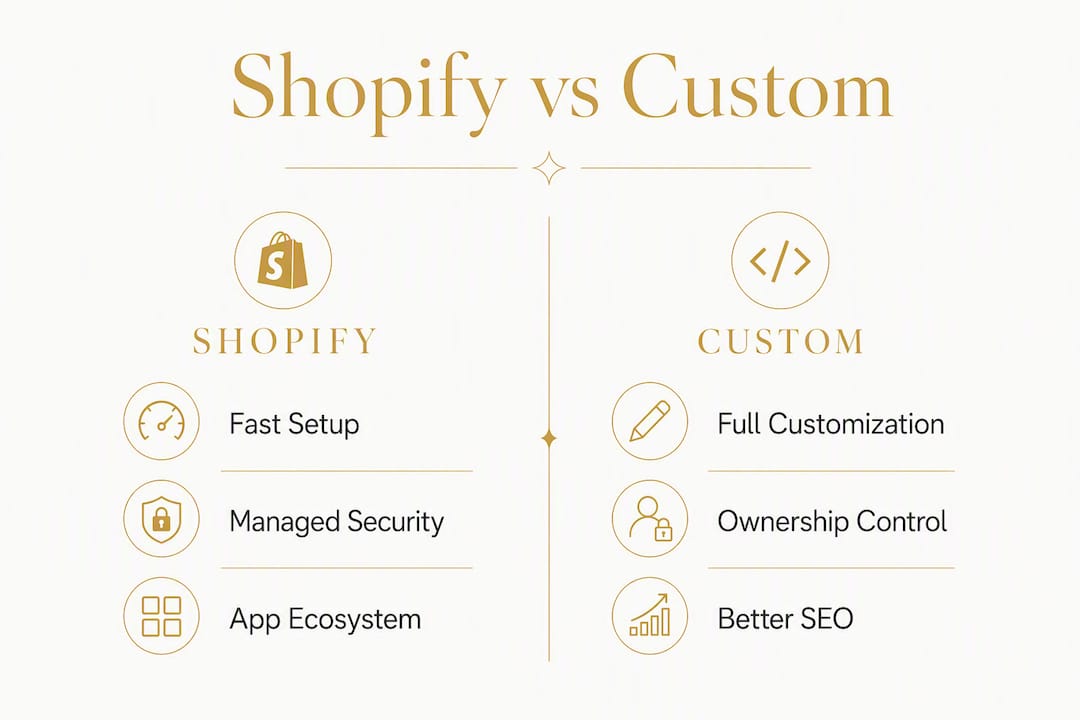
Custom site pros: full design and feature freedom, clean URL architecture, better performance ceiling, no per-transaction platform fees, data portability.
Custom site cons: higher upfront cost, longer build time, ongoing maintenance is your responsibility, requires a trusted development partner.
Quick facts: Shopify stores typically launch within a few weeks, while custom builds take several months on average. The cost break-even point where custom becomes cheaper than Shopify's all-in monthly spend usually appears at a moderate revenue level, depending on app usage and transaction volume.
What does each option actually cost you over time?
Shopify's advertised plan prices are not the number you should budget. After adding a premium theme, essential apps, and transaction fees, the realistic all-in monthly cost for a growing store is typically $200–$500+ per month.
| Line item | Shopify (small store) | Shopify (growing store) | Custom site |
|---|---|---|---|
| Platform/hosting fee | $39–$399/month base | $39–$399/month base | $200–$800/month maintenance retainer |
| Apps and integrations | Additional | Additional | — |
| Theme (amortized) | $200–$400 one-time | $200–$400 one-time | Included in build |
| Transaction fees | 2% (Basic, non-SP) | 1% (Shopify plan) | None |
| Maintenance/support | Included | Included | $200–$800/month retainer |
| Estimated monthly total | $164–$300 | $200–$500+ | — |
Custom builds start around $15,000 for a simple catalog and range to $120,000+ for complex, multi-region, or B2B-heavy projects. Mid-complexity builds typically land between $35,000 and $60,000.
Transaction fees compound fast. At $500,000 in annual revenue on Shopify's Basic plan with a third-party payment processor, the 2% transaction fee alone costs $10,000 per year. Upgrading plans or moving to Shopify Plus changes the percentage but adds its own cost layer.
Hidden costs to watch for:
- Premium Shopify themes: $200–$400 one-time, but often need a developer to customize
- Private or custom apps: $500–$5,000+ to build, plus ongoing maintenance
- Migration costs if you eventually move off Shopify: URL mapping, data export, and redirect setup
- Third-party services (loyalty programs, advanced search, subscription billing) that Shopify's native tools do not cover
How long does it take to launch, and how hard is it to run day to day?
Shopify is genuinely fast. A basic store with a pre-built theme, a product catalog, and Shopify Payments can go live in a few days. A more polished store with custom sections and a full app stack typically takes two to four weeks. That speed matters if you have a seasonal deadline or want to validate demand before committing to a larger build.

Custom sites take longer by design. A full custom build averages 14–22 weeks from kickoff to launch. Headless builds, which pair a custom frontend with Shopify's commerce backend, typically land in the 8–12 week range and are worth considering when you need design freedom without rebuilding the entire commerce layer.
Day-to-day operations look very different between the two:
- On Shopify, hosting, server scaling, PCI compliance, SSL certificates, and most security patches are handled automatically. You focus on products, marketing, and orders.
- On a custom site, your agency or in-house developer handles server management, dependency updates, payment API changes, and tax rule updates. That is not a burden if you have a maintenance plan in place, but it is a real cost to budget.
Before any launch, check these items regardless of platform:
- Payment provider connected and tested with a live transaction
- SSL active and verified
- Tax and shipping rules configured for your actual shipping zones
- Mobile checkout tested on iOS and Android
- 301 redirects in place if you are migrating from an existing site
Pro Tip: If you are launching before a holiday season, add six weeks to your realistic custom build timeline. Agencies book up fast in Q3, and a rushed build almost always means post-launch fixes that cost more than the time saved.
What can you actually customize, and where do you hit a wall?
Shopify handles the majority of standard eCommerce needs well. A good theme plus a curated app stack covers product pages, collections, cart, checkout, email capture, reviews, and basic upsells. For most new stores with a clean catalog, that is enough.
The wall appears in roughly 10–15% of use cases where the business logic does not fit the platform's model. These are the scenarios where custom code is not optional:
- Product configurators with real-time pricing (custom furniture, print-on-demand with complex options)
- Proprietary checkout steps (multi-step quoting, B2B approval flows, deposit-first purchases)
- Complex B2B pricing (customer-specific price lists, net terms, purchase order workflows)
- Appointment or booking portals integrated directly into the site (common for contractors and home service businesses)
- Unique content structures that Shopify's CMS cannot model cleanly (multi-location service pages, local landing pages for SEO)
Shopify is typically sufficient when you have a standard product catalog, under roughly 200 SKUs, straightforward variants (size, color), and no proprietary checkout logic.
Feature checklist to scope your requirements:
- Do you need more than 100 variants per product? (Shopify caps at 100 without workarounds)
- Does your checkout require a custom step before payment?
- Do different customer groups see different prices?
- Do you need a booking, scheduling, or portal feature?
- Do you need full control over URL structure for local SEO?
If you answered yes to two or more of those, a custom build deserves a serious look.
Pro Tip: Before committing to a full custom build, run a two-week headless experiment: build one key landing page or product flow as a custom frontend and measure conversion against the Shopify version. Real data beats assumptions every time.
Who handles security, patches, and compliance on each platform?
This is where Shopify's managed model has a genuine, underappreciated advantage. Shopify handles PCI DSS compliance, SSL, server security, and platform-level patches automatically. You do not need to think about it. For a small business owner without a technical team, that is worth real money.
On a custom site, those responsibilities shift entirely to you and your development partner. That means budgeting for:
- Server and infrastructure management: scaling for traffic spikes, uptime monitoring, CDN configuration
- Dependency updates: frameworks, libraries, and plugins need regular updates to stay secure
- Security patches: vulnerabilities in your stack need to be caught and fixed before they are exploited
- Payment API updates: Stripe, PayPal, and other processors push breaking changes periodically
- Tax rule changes: sales tax nexus rules in the U.S. change frequently; your checkout logic needs to keep up
The practical options for managing this on a custom site are an agency maintenance retainer (typically $200–$800/month depending on scope), an in-house developer, or a third-party managed hosting provider that handles the infrastructure layer. Kirk-co's monthly plans cover hosting, maintenance, and ongoing updates as a bundled service, which removes most of this overhead for local business owners.
Risk to plan for: A traffic spike from a promotion or press mention can take down an under-resourced custom server. On Shopify, that same spike is handled automatically. If you go custom, make sure your hosting environment is load-tested and your agency has an incident response plan.
Pro Tip: Ask any custom development agency for their security patch SLA before signing. "We handle updates" is not a plan. You want a written commitment: how often patches are applied, who monitors for vulnerabilities, and what the response time is for a critical fix.
For Shopify stores, reviewing your security plugin options is still worth doing, particularly for stores handling sensitive customer data or running third-party apps with broad permissions.
How does each option perform for SEO and page speed?
Performance is where the custom vs. platform debate gets concrete fast. A well-built custom site using Next.js with edge caching routinely hits Core Web Vitals scores in the 90s on Google PageSpeed. Optimized Shopify stores typically score in the 55–75 range, held back by app JavaScript loading from multiple third-party origins.
That gap matters more as your organic traffic grows. A site scoring in the 90s loads noticeably faster, and Google's ranking signals reward it.
Performance is not automatic on custom sites. One audit found that a majority of custom stores underperformed Shopify's default Core Web Vitals baseline when performance was not scoped as an explicit deliverable from the start. Custom wins on performance only when the engineering brief says so.
On the SEO side, Shopify has a structural limitation worth understanding: it enforces fixed URL prefixes you cannot remove. Product pages live at /products/, collections at /collections/. You cannot change that. For most stores, this is a minor issue. For businesses competing in tight local or category-specific search markets, cleaner URL taxonomy and more flexible internal linking can make a measurable difference.
Checks to run on your current site:
- Run a Core Web Vitals report in Google Search Console and note your LCP, CLS, and INP scores
- Check whether your URL structure supports your content strategy (can you create
/services/plumbing/or are you forced into a product taxonomy?) - Assess your CMS flexibility: can you create locally optimized landing pages for each service area or city?
- Confirm your schema markup (LocalBusiness, Product, Review) is implemented correctly
For local businesses in Indiana, local SEO implementation built directly into the site architecture, rather than bolted on through an app, tends to produce more consistent results in local pack rankings.
How do integrations and the app ecosystem work for each model?
Shopify's app store is genuinely one of its strongest assets. With over 8,000 apps, you can add reviews, loyalty programs, subscription billing, advanced search, and most marketing tool integrations without writing a line of code. For a new store, that speed is hard to beat.
The trade-off shows up as you grow:
- App costs compound. Each paid app adds $20–$200/month, and a mature Shopify store often runs 10–20 apps. That stack can push monthly platform costs well above the base subscription.
- App fragility is real. When one app updates and breaks another, or when Shopify changes an API, you are dependent on third-party developers to fix it on their timeline.
- API limits create ceilings. Shopify's API rate limits can become a genuine constraint for stores with complex ERP sync, high-volume order processing, or real-time inventory across multiple warehouses.
Common integration pain points that push businesses toward custom builds:
- ERP or WMS sync requiring real-time, bidirectional data flow
- Complex supplier or dropship catalog management
- Unique payment rails (net terms, ACH, invoice-based billing)
- Multi-location inventory with location-specific pricing
On a custom site, integrations are built exactly to spec. There is no app dependency, no monthly per-app fee, and no API rate limit imposed by a third-party platform. The trade-off is build time and ongoing maintenance when the integrated service updates its own API.
How do you decide? A practical checklist for choosing your path
Work through these steps in order before committing to either option.
- Validate demand first. If you have not yet proven that customers will buy, start on Shopify. The cost of building custom before you have revenue is almost always higher than the cost of migrating later.
- Map your 3-year total cost of ownership. Add up Shopify's realistic monthly all-in cost (plan + apps + transaction fees) and multiply by 36. Compare that to a custom build fee plus a monthly maintenance retainer. The crossover point often appears around $300K–$500K in annual revenue.
- Test your required custom logic. If your checkout, pricing, or product configuration cannot be replicated in a Shopify sandbox, that is a clear signal that the platform will constrain you.
- Consider headless before going fully custom. If you need design freedom but your commerce logic is standard, a headless frontend over Shopify's backend can get you there in 8–12 weeks instead of 14–22.
- Plan your migration carefully. If you are moving from Shopify to custom, migrate frontend-first, preserve your URL structure with 301 redirects, and keep the legacy store live until conversion parity is confirmed.
Questions to ask any agency or platform rep:
- What is your hosting SLA, and how do you handle traffic spikes?
- Can you export all my data (products, customers, orders) in a portable format?
- How do you handle checkout extensibility for my specific use case?
- What does your maintenance scope include, and what triggers an extra charge?
- How do you manage URL preservation during a migration?
Red flags that mean "do not build custom yet":
- You have not validated product-market fit
- Your annual revenue is under $100K
- You have no ongoing development budget post-launch
- Your required features are available as Shopify apps today
Red flags that mean "do not stay on Shopify":
- Your app stack costs more than $500/month and is still growing
- You are hitting API limits on critical workflows
- Your checkout requires logic that Shopify Plus cannot support
- Transaction fees are costing you more than a custom build would over 24 months
Which option fits your business type?
| Business scenario | Recommended path | Key reason |
|---|---|---|
| New product-first SMB, unproven demand | Shopify (standard) | Validate before investing in custom |
| Local service business (contractor, home services) | Custom-coded site | Local SEO, booking portals, no transaction fees |
| Subscription-heavy seller | Shopify + subscription app, or custom | Depends on billing complexity and volume |
| B2B catalog with custom pricing | Custom or Shopify Plus | B2B logic often exceeds standard Shopify's scope |
| High-volume fast-growth brand ($500K+ GMV) | Headless or full custom | TCO and performance ceiling justify the investment |
| Nonprofit with donation and event flows | Custom-coded site | Donation and scheduling flows fit custom better |
Migration notes for businesses moving between platforms:
For local service businesses considering a move from a template-based site or Shopify to a custom build, the staged approach works best. Start with the highest-traffic pages (homepage, service pages, contact/booking), rebuild them as custom, and validate load time and conversion before migrating the full site. Preserve every existing URL with a 301 redirect map before launch day.
Local businesses with appointment or scheduling needs benefit from custom booking portal integrations built directly into the site rather than managed through a third-party widget. The result is a faster page, a consistent brand experience, and no monthly per-seat fee to a scheduling tool.
For contractors and home service businesses in Indiana specifically, local SEO considerations drive the platform decision as much as eCommerce features do. A custom site lets you build dedicated service-area pages with clean URLs, proper LocalBusiness schema, and fast load times, all of which contribute to local pack visibility in a way that a Shopify store with fixed URL prefixes cannot replicate as cleanly.
Why Kirk-co recommends custom-coded sites for most local Indiana businesses
For local businesses, the platform question is really a question about ownership and long-term SEO control. Kirk-co's position is straightforward: if you are a contractor, home service provider, retailer, or nonprofit in Indiana, a hand-coded custom site almost always serves you better than a managed platform over a 24–36 month horizon.

Kirk-co structures its work in two ways: a one-time custom build fee for businesses that want to own their site outright, and a monthly subscription plan that bundles hosting, maintenance, local SEO updates, and ongoing site improvements. The monthly plan removes the engineering overhead that makes custom sites feel risky for small business owners.
The Kirk-co portfolio includes live sites for contractors, nonprofits, and home service businesses across Indiana, each built to hit fast load times and rank in local search from day one.
Pro Tip: Ask your current site host for your Core Web Vitals report before your next agency conversation. If your Largest Contentful Paint is above 2.5 seconds, you are likely losing organic rankings and conversions to faster competitors. That number is the starting point for any honest performance conversation.
Key Takeaways
Shopify is the right starting point for most new stores; a custom-coded site becomes the stronger investment when local SEO control, complex business logic, or transaction-fee economics make platform limits genuinely costly.
| Point | Details |
|---|---|
| Start with Shopify if unproven | Validate demand before committing to a $15K–$120K custom build. |
| Custom wins on performance | Well-built custom sites score 90+ on Core Web Vitals; optimized Shopify stores typically score 55–75. |
| TCO crossover matters | At $500K annual revenue, transaction fees alone can reach $10,000/year on Shopify's Basic plan. |
| Headless is a real middle path | A headless build takes 8–12 weeks versus 14–22 for full custom, with fewer platform constraints than standard Shopify. |
| Kirk-co for local businesses | Kirk-co builds hand-coded custom sites for Indiana businesses with bundled maintenance, local SEO, and performance built in from day one. |
A practical note on making the right call
The most common mistake I see business owners make is treating this as a permanent decision. It is not. Shopify is a legitimate starting point, and migrating to a custom site later, when your revenue and requirements justify it, is a well-worn path. The key is knowing when that moment has arrived.
My honest recommendation: evaluate your platform choice over a 24–36 month horizon, not just what you need to launch. Run the TCO math with real numbers, your actual app costs, your transaction volume, and a realistic maintenance budget. If the numbers are close, the tie usually goes to the option that gives you more control over your own data and SEO architecture.
For most local service businesses, that answer is a custom-coded site. For a new product brand still finding its audience, Shopify is the right place to start. Neither answer is wrong if it fits where your business actually is today.
*— Elijah
Kirk-co builds custom sites that local Indiana businesses actually own
Most local businesses spend years paying monthly fees for a site they will never fully control. Kirk-co is a different model: hand-coded custom website development built specifically for contractors, home service providers, retailers, and nonprofits in Indiana, with performance and local SEO engineered in from the first line of code.

You get a site that loads fast, ranks in local search, and belongs to you. Kirk-co's monthly plans cover hosting, maintenance, and ongoing updates so you never have to manage the technical side yourself. Whether you are starting from scratch or migrating from a slow template site, the process is straightforward: scoped build, clean handoff, and a maintenance plan that keeps the site performing. See pricing and plan options or browse live client sites to see what a hand-coded local business site looks like in practice. When you are ready to talk through your specific situation, Kirk-co offers a scoped consultation to map out the right path for your business.
Useful sources and further reading
The figures and frameworks in this article draw from agency research, platform documentation, and published cost analyses. Agency blog perspectives reflect real-world build experience but should be read alongside neutral data sources when making a final platform decision.
- Shopify vs Custom Website: 2026 Guide for US E-Commerce Businesses | Stackzeno — primary source for cost ranges, performance benchmarks, URL structure limitations, and migration patterns
- Shopify vs Custom Ecommerce Development: The 2026 Guide | Appwrk — headless build timelines, maintenance responsibility framework, and performance audit findings
- Kirk-co Custom Website Development — Kirk-co's service page detailing build and maintenance offerings for Indiana businesses
- Kirk-co Website Maintenance and Support — details on monthly maintenance plans, hosting, and ongoing support scope