
A small business can block the vast majority of website attacks by applying a short, prioritized set of controls: HTTPS, timely updates, secure hosting with a Web Application Firewall (WAF) and backups, strong unique passwords plus multi-factor authentication (MFA), limited admin access, active monitoring, and a written incident plan. A significant share of cyberattacks target small businesses—43% of all cyberattacks target small businesses—and most of those attacks are automated bots scanning for easy entry points, not sophisticated hackers targeting you specifically. That means fixing common configuration gaps puts you ahead of most threats.
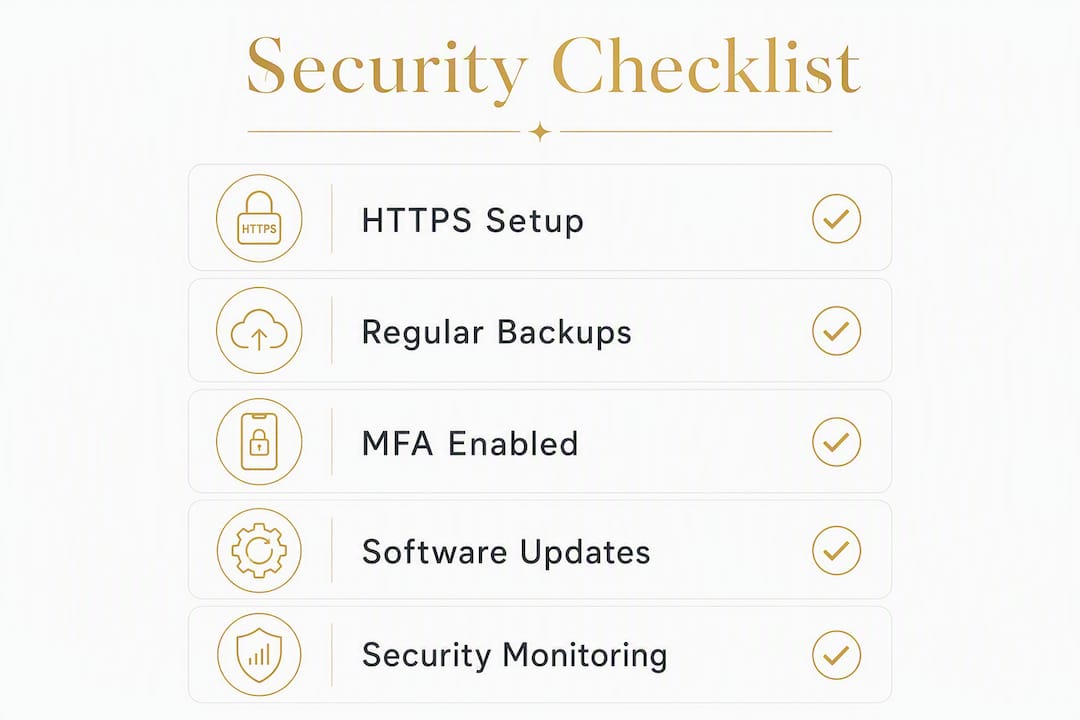
Your immediate priority list:
- Enable HTTPS on every page (most reputable hosts include a free SSL/TLS certificate through Let's Encrypt)
- Set up automated daily backups with a retention period sufficient to support recovery and a restore process that is regularly validated
- Enable MFA on your hosting account, domain registrar, CMS admin, and business email
- Apply all pending updates to your CMS core, themes, and plugins
- Limit admin accounts to only the people who genuinely need them
- Add a WAF (Web Application Firewall) at the hosting or DNS level
- Set up uptime and malware monitoring so you know about problems before your customers do
Start with HTTPS and backups this week. Those two controls alone convert a potential disaster into a manageable recovery.
Table of Contents
- What does a prioritized website security checklist look like?
- What threats are actually targeting your small business site?
- Platform-specific steps: WordPress, other CMS, and custom-coded sites
- How do you detect a problem and respond if your site is hacked?
- What should you look for in secure hosting and managed security?
- What do security audits and ongoing maintenance actually cost?
- How do you choose a security-minded developer or managed provider?
- Why should you partner with a developer instead of handling security alone?
- Key Takeaways
- The part most security guides get wrong
- Kirk-co keeps your Indiana business site secure and current
- Authoritative sources and further reading
What does a prioritized website security checklist look like?
Not every security task carries equal weight. The list below is ordered by impact and urgency, so you can assign the first items today and work through the rest over the following several weeks.
Week 1 (do these now):
- Verify HTTPS is active on every page. Check the padlock in your browser and confirm there are no mixed-content warnings. If your host does not include a free SSL certificate, switch hosts or add one through Let's Encrypt.
- Enable automated daily backups through your host or a backup plugin. Confirm you can actually restore from them — a backup you have never tested is not a backup.
- Turn on MFA for your hosting control panel, domain registrar, CMS admin account, and business email. Use an authenticator app (Google Authenticator, Authy) rather than SMS when possible.
Weeks 2–4:
- Audit admin accounts. Remove anyone who no longer needs access. Change the default admin username on WordPress (never leave it as "admin"). Apply the principle of least privilege: give users only the access their role requires.
- Apply all pending updates to your CMS, themes, and plugins. Remove plugins and themes you are not actively using.
- Review your hosting plan. Confirm it includes a server-level firewall, malware scanning, and a documented support response time.
Days 30–90:
- Add a WAF if your host does not include one. Cloudflare's free tier is a practical starting point for most small sites.
- Set up uptime monitoring (UptimeRobot has a free tier) and file-integrity scanning.
- Write a concise incident response plan. It does not need to be long — just a list of who to call, what to take offline first, and where the backup restore process lives.
Pro Tip: Enable automatic updates for minor CMS releases and security patches. For major version updates, test in a staging environment first — compatibility issues with plugins are the most common reason a well-intentioned update breaks a site.
For ongoing maintenance, assign each task clearly: the owner handles credentials and business decisions; an employee or office manager can manage content access; a developer or managed maintenance plan handles patching, backups, and monitoring.
What threats are actually targeting your small business site?
Most small-site attacks are not personal. They are automated, and 43% of all cyberattacks target small businesses. A bot scans thousands of sites per hour looking for known vulnerabilities, weak passwords, or outdated software. Understanding what these threats look like helps you see why each checklist item matters.

Automated bots and opportunistic scans are the most common threat for small sites. Bots probe for outdated plugins, exposed admin pages, and default credentials. They do not care about your industry or revenue — they care about easy access.
Brute force and credential stuffing target your login pages. Brute force tries thousands of password combinations; credential stuffing uses real username/password pairs stolen from other breaches. Both are why MFA and strong, unique passwords are non-negotiable. CISA's guidance identifies weak and reused passwords as one of the most frequent causes of site compromise.
Malware injection and SEO spam happen after an attacker gains access. They insert hidden links, redirect visitors to malicious sites, or use your server to send spam. You might not notice for weeks — until Google flags your site or your host suspends your account.
SQL injection (SQLi) and cross-site scripting (XSS) are code-level attacks. SQLi manipulates your database through unvalidated form inputs; XSS injects malicious scripts into pages that run in visitors' browsers. Both are preventable with proper input validation and a Content Security Policy (CSP).
Phishing and social engineering target your team, not your code. An employee clicks a convincing fake email, hands over credentials, and the attacker walks in through the front door. CISA notes that human factors are equally critical as technical controls.
Symptoms to watch for: unexpected redirects, a sudden drop in search rankings, Google Search Console warnings, unknown admin users in your CMS, or your host suspending your account without explanation. Any of these warrants immediate investigation.
Platform-specific steps: WordPress, other CMS, and custom-coded sites
Security controls look different depending on how your site is built. Here is what to do on each platform.

WordPress and common CMS platforms
WordPress powers a large share of small business sites, which also makes it a frequent target. Most WordPress compromises come from outdated plugins, weak admin credentials, or abandoned themes.
- Keep WordPress core, all active themes, and all plugins updated. Enable automatic background updates for minor releases.
- Remove every plugin and theme you are not actively using. Inactive plugins still present vulnerabilities.
- Change the default admin username from "admin" to something unique. Attackers specifically target the "admin" account in brute-force attacks.
- Move or protect the
/wp-adminlogin page using a plugin like WPS Hide Login or by restricting access by IP at the server level. - Set correct file permissions: directories at 755, files at 644, and
wp-config.phpat 440 or 400. - Limit database user privileges to only what WordPress needs — no global admin rights on the database user.
- Use a security plugin (Wordfence or Sucuri Security) for firewall rules, login protection, and file-integrity monitoring.
For Shopify, Wix, and Squarespace, the platform manages most server-level security for you. Your responsibilities are narrower but still real: enable MFA on your account, use strong unique passwords, manage third-party app permissions carefully, and keep your payment and customer data settings reviewed regularly.
Pro Tip: Before adding any new plugin, check its update history, active install count, and last-updated date in the WordPress plugin directory. A plugin that has not been updated in over a year is a liability, regardless of its star rating.
Custom-coded sites
Custom sites give you more control and, with it, more responsibility. The MDN Web Security guidelines identify HTTPS, Content Security Policy, secure cookie flags (Secure, HttpOnly, SameSite), and input sanitization as core defenses for any web application.
Ask your developer to confirm:
- All database queries use prepared statements or parameterized queries (prevents SQLi)
- User input is validated and sanitized on the server side, not just the client side
- Security headers are configured: HSTS, X-Frame-Options, X-Content-Type-Options, and a strict Content Security Policy
- Dependencies (npm packages, Composer libraries, server-side frameworks) are tracked and updated on a schedule
- File upload handling restricts file types and stores uploads outside the web root
- The server runs a supported PHP or Node.js version with no end-of-life software
Pro Tip: Ask your developer whether they use version control (Git) and a staging environment. A developer who tests updates in staging before pushing to production is far less likely to break your live site during a patch.
How do you detect a problem and respond if your site is hacked?
Early detection is the difference between a two-hour recovery and a two-week crisis. Set up monitoring before you need it.
Monitoring basics:
- Uptime monitoring (UptimeRobot, Better Uptime) alerts you within minutes if your site goes down.
- File-integrity scanning flags unauthorized changes to core files — a common sign of malware injection.
- Malware scanning services like SiteLock scan continuously and can remove infections automatically.
- Server and access logs show who logged in, from where, and what they did. Ask your host how to access them.
Incident response — step by step:
- Take the site offline or put it in maintenance mode immediately. This stops the spread and protects visitors.
- Preserve your logs before doing anything else. Logs are evidence and will help you find the root cause.
- Rotate all credentials — hosting account, CMS admin, database password, FTP/SSH keys, and any connected email accounts.
- Restore from a clean, pre-infection backup. This is why tested backups matter. A recent backup converts a catastrophic attack into a recoverable incident.
- Identify and patch the root cause before bringing the site back online. Restoring without fixing the vulnerability means re-infection within hours.
- Notify affected parties if customer data was exposed. Most U.S. states have breach notification laws with specific timelines. Consult a legal professional if payment or personal data was involved.
- Bring the site back online and monitor closely for 48–72 hours.
Timeline expectations: With a clean backup available, malware cleanup and restore typically takes a few hours. If payment data was involved, or if the scope of the breach is unclear, a professional forensic review may take several days.
Pro Tip: When calling your host during an incident, ask specifically: "Can you pull the access logs for the past 30 days?" and "Do you have a clean snapshot from before [date]?" Those two questions will save hours of guesswork.
Escalate to a professional security firm if you handle payment card data, if re-infection keeps happening after cleanup, or if you cannot identify how the attacker got in.
What should you look for in secure hosting and managed security?
Your hosting plan is the foundation of your site's security. A weak host creates problems that no plugin or security tool can fully compensate for.
Minimum features to expect from any host:
- Free SSL/TLS certificate with automatic renewal (Let's Encrypt is standard)
- Automated daily backups with an adequate retention period and a self-service restore option
- Server-level firewall and intrusion detection
- Malware scanning with notification when infections are found
- A documented support SLA with response times in writing
Managed security additions worth considering:
- Web Application Firewall (WAF) at the server or CDN level
- DDoS mitigation
- Automatic CMS and server patching
- 24/7 monitoring with a human escalation path
- Malware removal service included in the plan (not billed separately per incident)
For small businesses, a managed website maintenance plan that bundles hosting, backups, patching, and monitoring often costs less per month than a single emergency cleanup call.
Red flags to avoid:
- No documented backup process or unclear restore timeline
- Shared hosting with thousands of sites and no account isolation
- Support that responds only by ticket with 48+ hour response times
- No staging environment available for testing updates
- Vague answers when you ask about their security incident process
Ask any prospective host: "What is your backup retention period, and how long does a restore take?" If they cannot answer that clearly, keep looking.
For additional perspective on managed security responsibilities for small businesses, the cybersecurity playbook from Mavericks Office Solutions covers practical threat management steps that complement what your host provides.
What do security audits and ongoing maintenance actually cost?
Security work does not have to be expensive, but it does need to be consistent. Here is a realistic cost and timeline reference for common tasks.
| Task | Typical Cost Range | Typical Timeline |
|---|---|---|
| SSL certificate + HTTPS setup | $0–$100 (most hosts include it free) | 1–4 hours |
| Basic hardening (MFA, admin lockdown, headers) | approximately $150 one-time | 2–8 hours |
| Malware cleanup + restore (with backup) | — | 2–24 hours |
| Small vulnerability audit (CMS + plugins) | — | 1–3 days |
| Full security audit / penetration test | — | 1–3 weeks |
| Managed monthly maintenance plan | — | Ongoing |
What drives cost up: e-commerce or payment processing, custom-coded applications, large databases, regulatory compliance requirements (HIPAA, PCI-DSS), and sites that have never had a security review.
The practical advice for most small businesses: invest in steady monthly maintenance rather than waiting for an emergency. A $150/month managed plan is a predictable expense. A malware cleanup after a breach, with lost revenue and potential legal exposure factored in, is not.
One-time fixes address symptoms. Ongoing maintenance addresses the root cause — a site that stays current, monitored, and backed up.
How do you choose a security-minded developer or managed provider?
Hiring the wrong developer for security work is worse than not hiring anyone, because it creates false confidence. Use this checklist to evaluate candidates.
Questions to ask every candidate:
- What is your process for keeping CMS core, plugins, and dependencies updated?
- How do you handle backups — what is the retention period, and can you demonstrate a restore?
- What does your incident response process look like if my site is compromised?
- Do you use a staging environment before pushing updates to production?
- What security headers and server configurations do you set by default?
- How do you manage admin access when a project ends or a team member leaves?
- Can you provide references or case studies from similar businesses?
Trust signals to look for:
- Documented processes in writing, not just verbal assurances
- Transparent pricing for ongoing maintenance with clear scope
- Willingness to walk you through their backup and restore process
- Clear separation of responsibilities: what they handle versus what you keep
- Real client references you can actually contact
Red flags:
- Reluctance to explain their access procedures or share documentation
- No written SLA or service agreement
- Promises of "100% security" (no one can guarantee that)
- Anonymous reviews only, with no verifiable client references
- No mention of backups or incident response in their proposal
Sample language for your statement of work: "Provider will perform weekly CMS and plugin updates, maintain 30-day backup retention with a documented restore process, notify the client within 4 hours of any detected security incident, and conduct a quarterly security review."
Vendor scoring checklist:
- Documented update and patching workflow
- Backup retention and restore SLA in writing
- Incident response process defined
- Staging environment available
- Clear access control procedures
- Verifiable client references
- Transparent monthly maintenance pricing
Why should you partner with a developer instead of handling security alone?
Security is a shared responsibility, but the split is not 50/50. A good developer or managed provider handles the operational work; you retain ownership of the decisions and the data.
| Responsibility | Owner | Developer / Managed Provider |
|---|---|---|
| Credential management (passwords, MFA) | ✓ | |
| Business decisions (data collected, payment processing) | ✓ | |
| Employee training and access policies | ✓ | |
| CMS and plugin updates / patching | ✓ | |
| Backup execution and restore testing | ✓ | |
| Uptime and malware monitoring | ✓ | |
| Incident remediation and root-cause analysis | ✓ | |
| Security header and server configuration | ✓ |
One point that often surprises business owners: partnering with a managed provider transfers the operational tasks but not the legal responsibility. If your site collects customer data and that data is exposed, you remain accountable under applicable state breach notification laws, regardless of who manages the hosting. That is not a reason to avoid managed services — it is a reason to choose one with a clear, written incident response process.
A managed plan also tends to cost less than emergency remediation. When a site is actively compromised, cleanup, forensics, and downtime add up quickly. A provider who monitors and patches proactively catches most problems before they become incidents.
Pro Tip: When signing a maintenance contract, require these four items in writing: maximum restore time after a backup failure, the update window (when patches are applied), the notification process if a security event is detected, and who holds the master credentials for your hosting and domain accounts.
Key Takeaways
Strong small business website security comes down to five controls applied consistently: HTTPS, tested backups, MFA on all admin accounts, timely updates, and a hosting plan that includes monitoring and a WAF. 43% of all cyberattacks target small businesses, making these controls especially urgent.
| Point | Details |
|---|---|
| HTTPS and backups first | Enable SSL and automated daily backups this week — these two controls have the highest impact per hour of effort. |
| MFA stops most credential attacks | Enable multi-factor authentication on hosting, domain, CMS, and email accounts before anything else. |
| Updates close the most common doors | Most small-site compromises exploit outdated plugins or CMS versions; apply patches on a weekly schedule. |
| Monitoring enables fast recovery | Uptime and malware monitoring cuts detection time from weeks to minutes, dramatically reducing damage. |
| Kirk-co handles the heavy lifting | Kirk-co's website maintenance plans cover patching, backups, and monitoring so Indiana business owners can focus on running their business. |
The part most security guides get wrong
Most website security content for small businesses focuses almost entirely on technical controls — install this plugin, add that header, run this scan. That advice is not wrong, but it misses the more common failure mode.
The sites that get compromised repeatedly are not usually running outdated software. They are running outdated processes. An owner who installed a security plugin two years ago and has not looked at it since. A developer who set up backups on a plan that quietly stopped working after a host migration. An employee who still has admin access six months after leaving the company.
Technical controls are only as strong as the habits behind them. A WAF does not help if your admin password is the name of your dog. Backups do not help if no one has ever tested a restore. MFA does not help if you set it up on a phone number that belongs to a former employee.
The practical implication: security is not a one-time setup task. It is a monthly habit. The businesses that stay protected are the ones that treat their website the same way they treat their physical storefront — with regular checks, clear access policies, and someone accountable for the upkeep.
For small business owners in Indiana who prefer to hand that accountability to someone else, Kirk-co's custom website development and maintenance work is built around exactly that model: clear responsibilities, documented processes, and no surprises.
Kirk-co keeps your Indiana business site secure and current
Running a secure website should not be a second job. Kirk-co builds hand-coded custom websites for local businesses in Indiana and backs every site with a monthly maintenance plan that covers the security work most owners do not have time to manage themselves.

The maintenance plan includes automated backups, CMS and plugin updates, uptime monitoring, and priority support when something goes wrong. There are no templates, no page builders, and no shared-hosting shortcuts — every site is built and maintained with the same attention to performance and security. If you already have a site that needs a security review or cleanup, Kirk-co can assess it and handle remediation. See the full service options and pricing or reach out to schedule a free initial call and get a clear picture of where your site stands today.
Authoritative sources and further reading
These are the most useful official and technical references for small business owners who want to go deeper or share guidance with a developer or vendor.
- CISA — Secure Your Business: The Cybersecurity and Infrastructure Security Agency's small business hub covers practical controls, free tools, and training resources. Reference this when discussing baseline requirements with a developer or IT provider.
- FCC — Cybersecurity for Small Businesses: The FCC's small business cybersecurity page includes a customizable planning tool and plain-language guidance on network and website security.
- MDN Web Security: Mozilla's developer documentation covers HTTPS, Content Security Policy, cookie security flags, and input validation in technical detail. Share this with your developer when discussing security headers and CSP configuration.
- MDN — Website Security (Learn Web Development): A practical introduction to common threats (XSS, SQLi, CSRF) and their mitigations, written for developers building or maintaining web applications.
- SiteGuardian — Keeping Your Small Business Website Up: A practical partner resource on website monitoring and operational maintenance priorities for small business owners.
When meeting with a developer or managed provider, cite the CISA and MDN references directly. A provider who is familiar with these standards and can speak to them specifically is a stronger candidate than one who offers only general reassurances.