
For most U.S. small businesses, managed WordPress hosting or a bundled custom-hosted plan like those Kirk-co offers is the right starting point. You get automated backups, built-in security, and human support without managing the technical side yourself. The industry benchmark for reliable hosting is a 99.9% or higher uptime SLA, and managed plans typically meet that standard out of the box.
Three reasons managed hosting wins for most owners:
- Automated backups and security patches run without you lifting a finger, reducing the risk of data loss or a hacked site.
- Human support means a real person can diagnose your specific issue, not just point you to a knowledge base article.
- Predictable monthly costs make budgeting straightforward, especially when renewals are clearly disclosed upfront.
Your next step: pick a managed plan that includes SSL, daily backups, and email, or request Kirk-co's bundled hosting and maintenance subscription for a fully custom-coded site built for your local market.
Table of Contents
- What hosting type is right for your business stage?
- What features should every small business hosting plan include?
- What does small business website hosting actually cost?
- How do you choose the right hosting plan?
- When should you upgrade your hosting?
- Why managed hosting or a custom Kirk-co site is the smarter long-term choice
- How much storage and bandwidth does your business site actually need?
- Key Takeaways
- What most hosting guides get wrong
- Your site deserves more than a generic hosting plan
- Useful sources and further reading
What hosting type is right for your business stage?
Not every business needs the same setup. The hosting type that fits a brand-new contractor website is very different from what a growing e-commerce store requires. Here is a plain-language breakdown.
| Hosting Type | Best For | Pros | Watch Out For |
|---|---|---|---|
| Shared hosting | Brand-new sites, tight budgets | Lowest cost, easy setup | Shared resources; patching left to you |
| Managed WordPress | Most small business sites on WordPress | Auto-updates, staging, WP support | Costs more than basic shared |
| VPS | Growing sites needing resource isolation | Dedicated CPU/RAM, more control | Requires some technical comfort |
| Cloud hosting | Variable-traffic or e-commerce sites | Scales on demand, high reliability | Pricing can vary month to month |
| Dedicated server | High-traffic, resource-intensive sites | Maximum performance and control | Expensive; overkill for most SMBs |
| Website builder/hosted platform | Beginners who want speed over flexibility | All-in-one, no tech setup | Limited customization, harder to migrate |
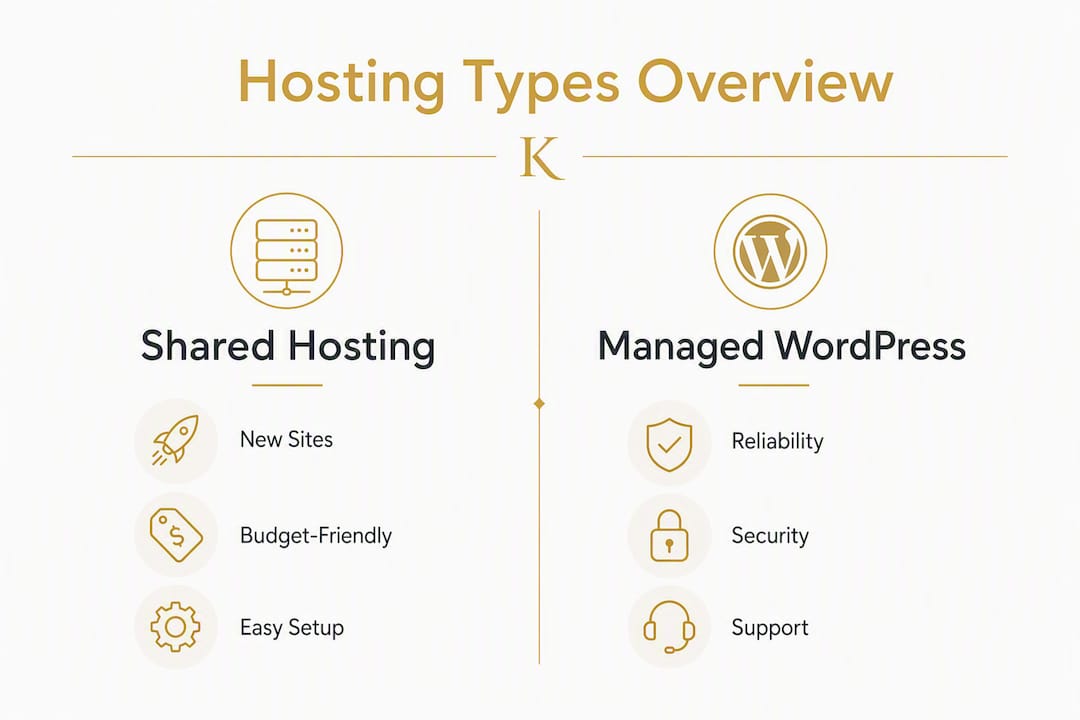
Beginners often start with managed shared or WordPress-specific hosting, then move to VPS or cloud as traffic and complexity grow. That progression is predictable, and planning for it from day one saves a painful migration later.
A few special cases worth noting:
- E-commerce sites need SSL, PCI-compliant checkout support, and enough storage for product images. Managed or cloud hosting handles this better than entry-level shared plans.
- Appointment-booking sites benefit from reliable uptime and fast page loads since a slow booking page directly costs you customers.
- Membership sites with gated content need consistent performance under login-heavy traffic, which shared hosting often struggles to deliver.
What features should every small business hosting plan include?
Commercial-grade hosting for an active business site requires paid plans that cover professional email, automated daily backups, security monitoring, and dedicated support. Free or ultra-cheap hosting rarely delivers all four at a production level.
Here is the checklist to run against any plan you consider:
- Free SSL certificate included at no extra charge. SSL encrypts your site and is a Google ranking signal. Any plan that charges extra for it is behind the times.
- Malware scanning and a web application firewall (WAF). These catch threats before they reach your site. Pair this with a review of your small business website security practices.
- Automatic updates or managed patching. Entry-level shared hosting typically leaves plugin updates and patching to you, which builds technical debt fast. Managed plans handle this automatically.
- Daily automated backups with a clear restore process. Confirm how many days of backups are retained and how quickly a restore can happen.
- SSD or NVMe storage, CDN support, and server-side caching (LiteSpeed or Redis). These three together have the biggest impact on page load speed.
- 24/7 human-accessible support with a real response time commitment, not just a chatbot.
- Professional email hosting with at least one domain mailbox included (e.g., you@yourbusiness.com).
- Control panel access (cPanel, Plesk, or a custom dashboard) plus one-click staging, SSH, SFTP, and WP-CLI for WordPress sites.
Pro Tip: Before you sign up, open a live chat with the host's support team and ask a specific technical question about your site type. The quality and speed of that response tells you more than any marketing page.
Managed WordPress hosting shifts all of that technical maintenance to the provider, including staging sites and WordPress-specialized support. For a business owner who wants to focus on customers rather than server configs, that trade-off is worth the slightly higher monthly cost.

What does small business website hosting actually cost?
Pricing in this industry is designed to look lower than it is. Introductory rates can be low per month, but those rates often require multi-year prepayment and can significantly increase at renewal. Always check the renewal rate before you buy, not after.
| Plan Type | Typical Intro Price | Typical Renewal Price | Usually Includes |
|---|---|---|---|
| Entry shared | Lower cost | Higher renewal cost | SSL, 1 site, limited storage |
| Managed WordPress | Moderate cost | Higher renewal cost | SSL, backups, staging, WP support |
| VPS (entry) | Higher cost | Higher renewal cost | Dedicated resources, root access |
| Cloud (entry) | Moderate cost | Variable renewal cost | Scalable resources, CDN |
Some providers, like DreamHost, show exact auto-renewal rates before purchase so you are not surprised at year two. That transparency is worth looking for.
Common add-ons that inflate the real cost:
- Domain privacy (often $10–$15/year extra)
- Premium or priority support tiers
- Professional email beyond the included seats
- Malware cleanup if not included in the base plan
- Site migration fees if you are moving from another host
Three quick scenarios to frame realistic budgets:
One-page brochure site: Entry shared hosting at $10–$15/month at renewal is workable, but you still need SSL and at least basic backup coverage.
Service business with online booking: Managed WordPress at $25–$35/month at renewal gives you the uptime reliability and speed that a booking flow demands.
Small e-commerce store: Cloud or managed hosting at $30–$50/month at renewal, with enough storage for product images and a CDN for fast load times across the country.
True business sites need paid plans to get email, backups, and security at a production level. Free hosting is a starting point for experiments, not for a site that represents your business to paying customers.
How do you choose the right hosting plan?
Work through this checklist before you commit to any plan.
- Define your site's needs. How many pages? Do you take bookings or payments? Will you run WordPress? Your answers narrow the field immediately.
- Confirm the renewal rate in writing. The introductory price is irrelevant if you cannot afford the renewal. Get the exact renewal figure before you enter a credit card.
- Verify what "unlimited" actually means. Hosts that advertise unlimited bandwidth or storage apply fair-use policies that can trigger account suspension if you consume disproportionate CPU or RAM. Ask for the specific resource limits in writing.
- Test support before you buy. Open a live chat or call. Ask something specific. If you get a bot or a canned response, that is your support experience for the next year.
- Check backup retention and restore SLA. How many days of backups are kept? How long does a restore take? Who initiates it?
- Confirm migration policy. Does the host migrate your existing site for free? Is there a fee? How long does it take?
- Read the SLA fine print. A 99.9% uptime SLA sounds strong, but many SLAs compensate with partial account credits, not cash reimbursement. Know what you are actually owed if the host goes down.
Red flags to walk away from:
- Renewal rates should always be disclosed before checkout
- "Unlimited" claims with no published fair-use policy
- No backup SLA or restore process documentation
- Support that is bot-only with no escalation path to a human
- No staging environment for a managed WordPress plan
When to choose Kirk-co's managed/custom option: If you want a hand-coded site built for local SEO, fast load times, and zero technical overhead on your end, Kirk-co's custom website development and maintenance subscription is worth a conversation. It bundles hosting, maintenance, and local SEO into one predictable monthly plan.
When should you upgrade your hosting?

Most small businesses start on shared or entry-level managed hosting and outgrow it. The symptoms are usually obvious before the crisis hits.
Signs you need to upgrade:
- Pages load slowly even after you have optimized images and plugins
- You see frequent 503 or 504 timeout errors, especially during traffic spikes
- Your host has warned you about resource overuse
- You are adding features (e-commerce, membership, booking) that demand more consistent performance
- Traffic has grown and your analytics show rising bounce rates tied to load time
Common upgrade paths follow a clear progression: shared hosting to managed WordPress, then to VPS, then to cloud or dedicated if traffic demands it. Each step adds resource isolation and control but also cost and complexity.
Migration checklist when you move:
- Reduce your DNS TTL to 300 seconds (5 minutes) at least 24 hours before the migration so DNS changes propagate quickly.
- Take a full site snapshot and database backup before touching anything.
- Build and verify a staging copy on the new host before you cut over.
- Transfer SSL certificates or provision new ones on the new host.
- Move professional email to hosted email (Google Workspace or Microsoft 365) ahead of the migration to avoid inbox disruption.
- Verify all forms, payment flows, and booking tools on staging before going live.
- Keep the old hosting account active for at least 48–72 hours after DNS propagation as a rollback option.
Following these migration best practices keeps downtime to a minimum and gives you a clean rollback path if something breaks. A typical small business site migration, planned properly, takes two to three days from start to live.
Why managed hosting or a custom Kirk-co site is the smarter long-term choice
Shifting from DIY or shared hosting to a managed service is one of the most practical decisions a growing small business can make. Security patches, performance tuning, and plugin updates stop being your problem and start being your provider's responsibility.
The business case is straightforward:
- Faster issue resolution. Human-accessible support is frequently more valuable than raw server specs for small businesses. When your site goes down at 7 PM on a Friday, you need a person, not a ticket queue.
- Predictable monthly cost. Managed plans bundle the services you would otherwise pay for separately: backups, security scanning, updates, and support.
- Included migrations and staging tools. Providers that bundle migrations, daily backups, and staging reduce the risk and cost of future upgrades, making managed plans cost-effective over time.
- Built-in maintenance. No more logging in to update plugins and hoping nothing breaks.
For local Indiana businesses, Kirk-co's small business web design and hosting subscription goes further than a standard managed plan. Every site is hand-coded for performance and local SEO, not built on a template. Hosting, maintenance, and ongoing updates are bundled into one monthly plan.
Kirk-co works with contractors, retailers, home service providers, and nonprofits across Indiana. You can review live examples of their work to see how custom-coded performance translates to real client results.
How much storage and bandwidth does your business site actually need?
Most small business websites are lighter than owners expect. A typical five-to-ten-page service site with professional photos and contact forms uses well under 1 GB of storage. Even with a blog and a portfolio, you are unlikely to exceed 3–5 GB unless you host video files directly on your server.
Bandwidth is where the "unlimited" marketing gets misleading. Hosts that advertise unlimited bandwidth apply fair-use policies, and if your site drives disproportionate CPU or RAM usage, they can force you to a higher-tier plan. For most small business sites with under a few thousand monthly visitors, standard managed plans provide more than enough bandwidth.
Practical storage and bandwidth guidance by site type:
- Brochure or service site (5–10 pages): 1–5 GB storage is plenty. Bandwidth is rarely a concern at typical local traffic levels.
- Portfolio or media-heavy site: 5–20 GB storage depending on image resolution. Use a CDN to reduce bandwidth load on the server.
- Small e-commerce store (under 500 products): 10–30 GB storage for product images. A CDN and image compression are non-negotiable for load speed.
- Membership or course site: Storage needs vary widely. Offload video to a dedicated platform (Vimeo, Wistia) rather than hosting it on your web server.
The practical rule: never choose a plan based on storage alone. CPU and RAM limits, not disk space, are what actually throttle a small business site under real traffic. Ask your host for those figures specifically.
Key Takeaways
Managed hosting or a custom-hosted plan is the most practical and cost-effective choice for most U.S. small businesses, covering security, backups, and support in one predictable monthly cost.
| Point | Details |
|---|---|
| Start with managed hosting | Managed WordPress or a bundled custom plan covers security, backups, and support automatically. |
| Check renewal rates first | Introductory prices can jump significantly at renewal; always confirm the renewal rate before signing up. |
| Verify uptime SLA details | Look for 99.9%+ uptime SLAs and confirm what compensation the SLA actually provides. |
| Plan your migration early | Reduce DNS TTL, run a staging test, and keep your old host live for 48–72 hours as a rollback. |
| Kirk-co bundles it all | Kirk-co's custom-hosted subscription includes hosting, maintenance, local SEO, and human support in one plan. |
What most hosting guides get wrong
The hosting conversation for small businesses almost always centers on price. Which plan is cheapest? Which host has the lowest advertised rate? That framing leads owners to make the wrong decision, and they usually figure that out six months later when their site gets hacked, their renewal doubles, or they spend a weekend trying to restore a backup that does not exist.
The more useful question is: what is the cost of your site being down, slow, or compromised for 24 hours? For a contractor who gets three leads a week from their website, a day of downtime is real lost revenue. For a retailer running a sale, a slow checkout page is a direct conversion killer. When you frame hosting as a business continuity decision rather than a line-item expense, managed plans stop looking expensive and start looking like the obvious choice.
There is also a gap between what hosts promise and what they deliver at the support level. "24/7 support" on a $3/month plan usually means a chatbot and a 48-hour ticket queue. The businesses that get the most out of their hosting are the ones that tested support quality before they signed up, not after.
Kirk-co's approach, building every site by hand and bundling maintenance into the monthly plan, removes the entire category of "things the owner has to manage." That is not a feature. It is the point.
Your site deserves more than a generic hosting plan
Kirk-co builds hand-coded custom websites for local businesses in Indiana, and every site comes with hosting, maintenance, and local SEO built in. No templates, no page builders, no technical overhead for you to manage. The result is a faster, more secure site that ranks better in local search and converts more visitors into customers.

If you are a contractor, retailer, home service provider, or nonprofit in Indiana, Kirk-co's small business website design subscription gives you a professionally built, fully maintained site at a predictable monthly cost. You can review current pricing and plan options or reach out directly to talk through what your business needs.
Useful sources and further reading
Use these resources to go deeper on specific topics covered in this guide:
- Kirk-co website maintenance and support plans — details on what is included in Kirk-co's monthly hosting and maintenance subscription.
- Kirk-co custom website development — how hand-coded sites differ from template builds and what that means for performance and SEO.
- Kirk-co portfolio: live Indiana business websites — real examples of custom-coded sites and client outcomes.
- Trustpilot and BBB — use these to verify host reputation and read real customer reviews before committing to a plan.