
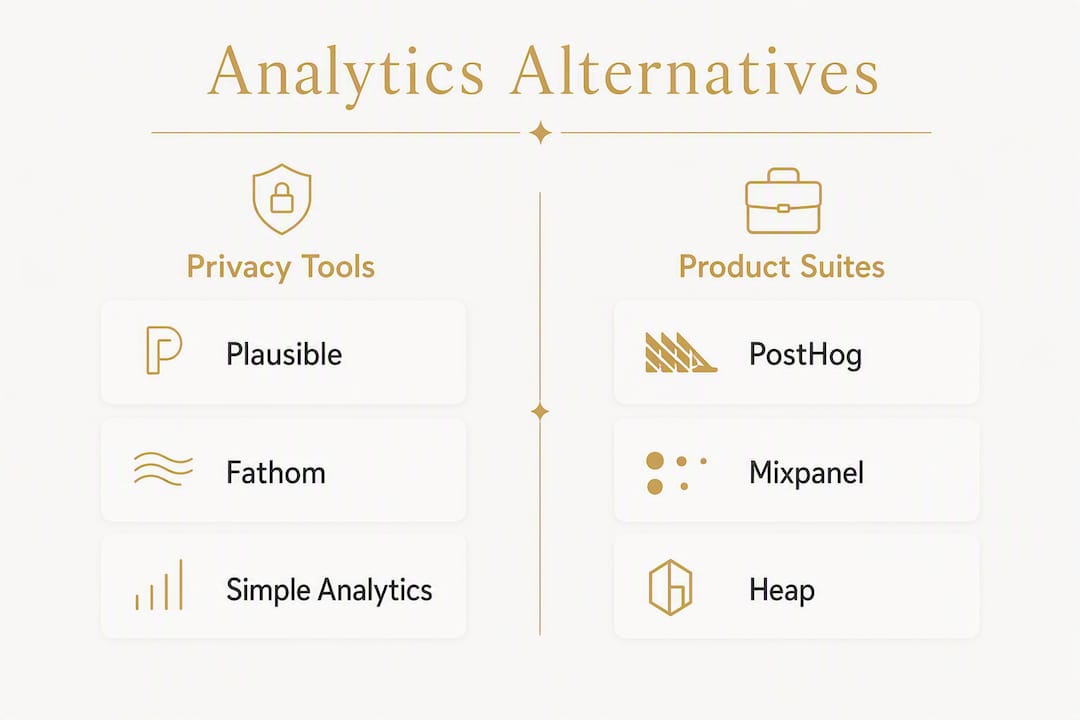
The strongest Google Analytics alternatives right now are Plausible for privacy-first simplicity, Fathom for fast setup with GDPR/CCPA compliance, Matomo for self-hosted data ownership, PostHog for developer-driven product analytics, Leadfeeder for B2B lead identification, and Piwik PRO for regulated industries. Your best pick depends on one question: what does your site actually need from analytics?
Here is a quick shortlist to act on immediately:
- Privacy-first, cookieless baseline: Plausible or Simple Analytics. Both run without cookies, require no consent banner for basic tracking, and give you a clean traffic picture.
- Fast setup, legal compliance: Fathom. One script line, IP anonymization, and a dashboard built for clarity rather than complexity.
- Full data ownership, self-hosted: Matomo. You control the server, the data, and the retention window.
- Product analytics and event depth: PostHog, Mixpanel, or Amplitude. These are built for teams who need funnels, cohorts, and behavioral modeling.
- B2B lead identification: Leadfeeder. It layers company-level identity on top of your traffic data.
- Enterprise compliance: Piwik PRO or Adobe Analytics. Both support data residency controls and enterprise DPAs.
The lowest-risk migration path is a hybrid: drop a cookieless tool alongside GA4, validate traffic numbers with parallel tracking for a period, then decide how much of GA4 you need. Kirk-co helps Indiana businesses with exactly this kind of setup, from picking the right tool to wiring it into a fast, hand-coded site.
Pro Tip: Run your new analytics tool in parallel with GA4 for at least 30 days before switching over. Comparing session counts and top-page data side by side is the fastest way to catch configuration errors before they cost you.
Table of Contents
- How do the top Google Analytics alternatives compare at a glance?
- How do you choose the right Google Analytics alternative for your site?
- What does each alternative actually offer?
- How do you migrate from Google Analytics without losing data?
- What do you need to check for privacy and cookieless compliance?
- Which tool is the best fit for your specific use case?
- How Kirk-co helped a local business improve conversions with better analytics
- Key Takeaways
- What Kirk-co actually recommends for local Indiana businesses
- Kirk-co builds sites that are ready to track from day one
- Useful sources and vendor documentation
How do the top Google Analytics alternatives compare at a glance?
The table below maps each tool to its primary use case, pricing model, data ownership, privacy approach, and setup complexity. Use it to narrow your shortlist before reading the full profiles.
| Tool | Best For | Pricing Model | Data Ownership | Privacy Model | Setup Time |
|---|---|---|---|---|---|
| Plausible | Privacy-first content sites | Flat fee | Cloud or self-hosted | Cookieless, no PII | Under 5 min |
| Fathom | Small brands, agencies | Flat fee | Cloud | Cookieless, IP anonymized | Under 5 min |
| Matomo | Self-hosted data control | Free (self-host) / Cloud paid | Self-hosted or cloud | Configurable, GDPR-ready | 30 min |
| PostHog | Engineering/product teams | Free tier + usage-based | Cloud or self-hosted | Configurable | 30 min |
| Mixpanel | Product funnel analysis | Free tier + per-MAU | Cloud | PII collected | 1–2 hrs |
| Heap | Rapid event capture | Per-MAU, enterprise | Cloud | PII collected | 30 min |
| Amplitude | Enterprise product analytics | Free tier + enterprise | Cloud | PII collected | 1–2 hrs |
| Leadfeeder | B2B lead identification | Per-company, subscription | Cloud | IP-based, company-level | 15–30 min |
| Simple Analytics | Publishers, small sites | Flat fee | Cloud | Cookieless, no PII | Under 5 min |
| Hotjar | UX/CRO teams | Free tier + per-session | Cloud | PII collected | 15–30 min |
| Piwik PRO | Regulated industries | Free core + enterprise | Cloud or self-hosted | Configurable, DPA available | 1–2 hrs |
| Clicky | Real-time traffic visibility | Free tier + flat fee | Cloud | IP tracked | Under 15 min |
| Woopra | Cross-touchpoint journeys | Free tier + per-action | Cloud | PII collected | 30 min |
| GoSquared | Live analytics + chat | Subscription | Cloud | PII collected | 15–30 min |
| Usermaven | Privacy-aware funnels | Flat fee | Cloud | Cookieless option | 15–30 min |
| Adobe Analytics | Large enterprise attribution | Enterprise contract | Cloud | Configurable | Days |
| Open Web Analytics | Free self-hosted option | Free (open-source) | Self-hosted | Configurable | 1–2 hrs |
| Cloudflare Web Analytics | Cloudflare users, low overhead | Free | Cloud (edge) | Cookieless, no PII | Under 5 min |
| Semrush Traffic Analytics | Competitive benchmarking | Included in Semrush plans | Cloud | Aggregated, no PII | Instant |
| ImpactHero | Conversion-focused reporting | Subscription | Cloud | PII collected | 15–30 min |
| AI Narratives for GA4 | AI summaries on GA4 data | Subscription | Cloud (GA4-dependent) | GA4-dependent | 15–30 min |
| Metabase | Self-hosted BI dashboards | Free (open-source) + cloud | Self-hosted or cloud | Configurable | 1–2 hrs |
| Looker | Enterprise BI and modeling | Enterprise contract | Cloud | Configurable | Days |
| Matomo (Piwik) | Self-hosted analytics | Free (self-host) / Cloud paid | Self-hosted or cloud | Configurable, GDPR-ready | 30 min |
Three red flags to watch for when vetting any vendor: no publicly available Data Processing Agreement (DPA), no documented data retention policy, and no self-hosting or data export option. Any tool that checks all three boxes puts your compliance posture at risk, especially under the California Consumer Privacy Act.
How do you choose the right Google Analytics alternative for your site?
The right choice comes down to five criteria, ranked by how much they affect your day-to-day operations.
- Data ownership — Who holds your historical data if you cancel? Cloud-only tools can lock you out. Self-hosted options like Matomo and Open Web Analytics give you full control.
Vendor due-diligence checklist
Before signing up for any paid plan, confirm these items:
- A signed DPA is available on request (or downloadable from the pricing page)
- Data residency options are documented (U.S.-based servers if required)
- The tool does not use data sampling on your traffic volume
- Bot filtering is active by default, not an add-on
- You can export raw event data or a full backup at any time
- The retention window is stated clearly (not "as long as needed")
Red flags that should disqualify a vendor quickly
- No DPA and no response when you ask for one
- Retention policy buried in a terms-of-service document with no plain-language summary
- No data export or API access on the plan you can afford
- Pricing that jumps sharply at a traffic threshold you will hit within 12 months
Running a 30-day proof of concept
Install the new tool alongside GA4. After 30 days, compare total sessions, top five pages by traffic, and your primary conversion event. If the numbers align within roughly 10–15%, the tool is tracking accurately. If they diverge significantly, check for missing script placements on key pages, bot traffic differences, or consent-rate gaps. Success looks like consistent trend lines, not identical absolute numbers.

What does each alternative actually offer?
Privacy-first and cookieless tools
Plausible runs a script that is substantially smaller than Google Analytics and collects no persistent identifiers or cross-site tracking data. The entire dashboard fits on one screen: pageviews, unique visitors, bounce rate, top sources, and goals. Pricing starts around $9/month on a flat-fee model, with a self-hosting option for teams that want full data control. Setup takes a few minutes. The trade-off is depth: Plausible does not do funnels, session replay, or cohort analysis.
Fathom takes a similar approach but leans harder into legal compliance. A single script line, IP anonymization by default, and a dashboard designed for clarity rather than exhaustive reporting. Fathom explicitly advertises GDPR and CCPA compliance, which matters if you serve visitors from California or the EU. Many businesses migrate from GA4 because GA4's complex event model creates more configuration work than a standard business site actually needs.
Simple Analytics measures visits using pageviews, referrers, and campaign parameters without building persistent user profiles. Because it does not depend on cookies, it captures visits that cookie-based tools miss when users decline consent, giving you a more accurate baseline of human traffic. Flat-fee pricing starts around $9/month.
Cloudflare Web Analytics is worth a mention for any site already running on Cloudflare's network. It collects data at the edge with no cookies and no JavaScript performance cost. The data is aggregated and limited compared to dedicated tools, but the price is zero and setup is a single toggle.
Usermaven sits between pure privacy tools and product analytics suites. It offers cookieless tracking alongside funnel and retention features, making it a reasonable fit for startups that want privacy-aware data without paying for a full product analytics platform.
Product analytics suites
PostHog is open-source, developer-friendly, and built around an event-first model. Teams can self-host it or use the cloud version. It includes session replay, feature flags, A/B testing, and funnels alongside standard analytics. The free tier is generous; pricing scales with event volume. If your team has a developer who wants full control over instrumentation, PostHog is the most flexible option in this category.
Mixpanel focuses on user journeys and funnel analysis. Its cohort features let product teams segment users by behavior and track retention over time. The free tier covers a reasonable event volume, and paid plans scale per monthly active user (MAU). Setup requires deliberate event naming conventions upfront; skipping that step creates messy data fast.
Heap solves the event-naming problem with autocapture: it records every click, form submission, and page view automatically, then lets you define events retroactively. That approach speeds up initial setup but can generate noisy data if you do not clean it regularly.
Amplitude targets mid-market and enterprise product teams. Its behavioral analytics and modeling features go deeper than Mixpanel or Heap, and its free tier is functional for smaller teams. Enterprise pricing is contract-based.
Pro Tip: For product analytics tools that require manual event instrumentation (Mixpanel, PostHog), define your event taxonomy in a shared spreadsheet before writing a single line of tracking code. Retrofitting naming conventions after launch is painful.
B2B and lead identification
Leadfeeder layers company-level identity on top of your web traffic. It identifies which companies visited your site, which pages they viewed, and how long they stayed, then routes that data to your CRM. It does not identify individual visitors, but for B2B sales teams, knowing that a target account visited your pricing page three times is enough to trigger outreach. Pricing is per identified company per month.
Woopra combines event tracking with customer profiles, making it useful for B2B marketers who want to track a contact across multiple touchpoints before a conversion. Its CRM integrations are a genuine differentiator.
Self-hosted and open-source
Matomo supports self-hosted deployments with full data ownership and unsampled reporting. It covers most of what GA4 does, including goals, funnels, and e-commerce tracking, without sending data to Google. The self-hosted version is free; the cloud version carries a monthly fee based on traffic. For organizations in regulated industries or those with strict data residency requirements, Matomo is the most complete self-hosted option available.
Open Web Analytics is a free, open-source alternative you install on your own server. It covers basic web analytics and is best suited for teams that want zero licensing cost and are comfortable managing their own infrastructure.
Metabase is not a web analytics tool in the traditional sense. It is an open-source BI platform that queries your event data or database directly. Teams that already store event data in a warehouse (BigQuery, PostgreSQL) use Metabase to build custom dashboards without writing SQL every time.
Enterprise and specialized tools
Piwik PRO targets regulated industries like healthcare and finance. It offers enterprise compliance features, data residency controls, and a DPA, making it one of the few tools that can satisfy strict internal security reviews. Pricing is enterprise-contract based above the free core tier.
Adobe Analytics is the benchmark for large enterprises that need custom attribution models and deep integration with the Adobe Experience Cloud. Setup takes days, not minutes, and pricing reflects that complexity.
Looker (now part of Google Cloud) is a model-driven BI platform for enterprises that want centralized data modeling and governed metrics. It is not a drop-in GA replacement; it is a layer on top of a data warehouse.
Hotjar sits in a different category from the others: it does qualitative analytics. Heatmaps, session recordings, and on-site surveys tell you why visitors behave the way they do, not just what they did. It pairs well with any of the quantitative tools above rather than replacing them.
GoSquared combines real-time analytics with live chat, making it useful for sites that want a single tool for traffic visibility and visitor engagement.
Clicky offers real-time traffic data with a simple interface. It is a solid fit for agencies managing multiple small sites that need quick traffic checks without a complex dashboard.
Semrush Traffic Analytics is not a site-side tracking tool. It estimates traffic for any domain, including competitors, making it valuable for benchmarking rather than first-party measurement.
ImpactHero focuses on conversion-path reporting, helping marketers understand which content drives pipeline. It is a niche tool that works alongside a primary analytics platform.
AI Narratives for GA4 layers AI-generated summaries on top of your existing GA4 data. If you are staying on GA4 but want faster reporting, it reduces the time spent interpreting dashboards.
A brief note on Rybbit: it is an emerging open-source option that combines a lightweight cookieless script with session replay and funnel features. It positions itself as a modern self-hosted alternative for teams that want depth without a SaaS subscription.
How do you migrate from Google Analytics without losing data?
Google stopped processing new data in Universal Analytics on July 1, 2023, which pushed many site owners to rethink their entire analytics setup. If you are still on GA4 and considering a switch, here is a practical plan.
Step-by-step migration checklist
- Audit your current GA4 setup. List every event, goal, and conversion you are actively using. Ignore everything you set up but never check. Most sites rely on fewer than ten metrics day to day.
- Map key events to your new tool. Match GA4 event names to the equivalent in your target platform. For Plausible or Fathom, this means defining custom goals. For PostHog or Mixpanel, it means writing an event taxonomy document.
- Install the new tool in parallel. Add the new script alongside GA4. Do not remove GA4 yet. This parallel period is your safety net.
- Validate traffic and conversions over 30 days. Compare session counts, top pages, and conversion events between the two tools. Expect small differences; investigate large ones.
- Export your GA4 historical data. Use GA4's built-in export to BigQuery or download CSV reports for your most important date ranges before you sunset the property.
- Sunset or retain GA4 as needed. If you run Google Ads, keep GA4 active for audience and conversion data. If you do not, you can safely remove it after validation.
Timeline and resource estimates
| Site type | Parallel tracking period | Full migration | Who to involve |
|---|---|---|---|
| Small business (under 10K sessions/mo) | 2–4 weeks | 1–2 days of setup | Owner or web developer |
| Mid-size content site | 4–6 weeks | 3–5 days | Developer + marketing lead |
| E-commerce or SaaS | 6 weeks | 1–2 weeks | Developer, analyst, marketing |
Validation methods
- Compare 7-day rolling session counts between GA4 and the new tool. A variance under 15% is acceptable for cookieless tools (the gap reflects consent-declined visits that GA4 misses).
- Check that your primary conversion event fires on the same pages in both tools.
- Verify that campaign parameters (UTM tags) are being captured correctly in the new platform.
- Run a simple test: visit your site from a private browser window and confirm the visit appears in both dashboards within five minutes.
For most small business sites, the total cost of switching to a flat-fee cookieless tool is the monthly subscription plus a few hours of developer time. Self-hosting Matomo adds server costs (typically $5–$20/month for a basic VPS) and ongoing maintenance. If that maintenance overhead feels like too much, working with an agency like Kirk-co is often the faster path.
What do you need to check for privacy and cookieless compliance?
Cookieless analytics measure visits using pageviews, referrers, and campaign parameters without building persistent user profiles. Because they do not rely on cookies or device fingerprints, they remain functional even when visitors block trackers or decline a consent banner. That makes them more accurate for sites where a significant share of visitors opt out of tracking.
The practical effect on your data: cookieless tools reduce the "Direct" or "Unassigned" traffic categories that inflate in cookie-dependent setups when consent is declined. Your traffic numbers will likely look slightly higher in a cookieless tool than in a consented-only GA4 property, and that difference represents real visits you were previously missing.
Privacy compliance checklist for U.S. site owners
- CCPA readiness: Confirm your analytics vendor has a signed DPA available and documents how it handles California residents' data. The CCPA requires businesses to disclose data collection practices and honor opt-out requests.
- IP handling: Does the tool anonymize or discard IP addresses? Storing full IPs without disclosure creates compliance exposure.
- Data residency: If your business or clients require U.S.-based data storage, confirm the vendor's server locations in writing.
- Opt-out mechanism: Even cookieless tools should provide a documented opt-out path for users who request it.
- Privacy policy language: Update your site's privacy policy to name the analytics tool you use, describe what data it collects, and explain how visitors can opt out.
- Consent banner requirement: Cookieless tools generally do not require a consent banner under CCPA for basic analytics. Cookie-based tools do. Confirm this with your legal counsel for your specific situation.
Practical recommendations for U.S. sites
For most small and mid-size U.S. businesses, a cookieless tool eliminates the need for a consent banner on analytics tracking alone, which removes friction from the visitor experience. If you also run Google Ads or Meta Ads, those platforms still require their own consent and disclosure handling. Keep analytics and advertising tracking separate in your privacy policy so visitors understand what each tool does.
When in doubt about your specific compliance obligations, consult a qualified attorney. This article is general information, not legal advice, and privacy laws vary by state and business type.
Which tool is the best fit for your specific use case?
Small business and local service sites
Best picks: Plausible or Fathom. Both tools install in minutes, require no consent banner for basic tracking, and give you the metrics that matter for a local business: traffic sources, top pages, and goal completions (phone calls, form submissions, directions clicks). Flat-fee pricing means no surprise bills when traffic spikes.

Configuration tip: set up one goal per primary conversion action (contact form submission, phone number click, directions click). That is all most local service sites need to make informed decisions about their marketing.
For home service businesses that rely on phone leads, pairing a cookieless analytics tool with a well-built local site that loads fast is more valuable than a complex analytics stack. Speed affects both conversion rate and local SEO rankings.
Pro Tip: Local businesses that track phone-number clicks as a goal in Plausible or Fathom get a cleaner conversion signal than GA4 provides, because cookieless tools count every click rather than only consented ones.
B2B lead generation
Best picks: Leadfeeder plus a cookieless baseline tool. Use Plausible or Fathom for traffic and content performance, and layer Leadfeeder on top to identify which companies are visiting your site. Wire Leadfeeder into your CRM (HubSpot, Salesforce, or Pipedrive) so sales reps see company visits in their workflow without logging into a separate dashboard.
Product analytics and SaaS
Best picks: PostHog (if you have a developer) or Mixpanel (if you want a managed setup). Define your event taxonomy before instrumentation. Key events to track from day one: sign-up, onboarding step completions, first key action, and churn indicators. A hybrid setup running Plausible for marketing-site traffic and PostHog for in-app behavior can keep the two data streams clean.
Enterprise and regulated industries
Best picks: Piwik PRO or Adobe Analytics. Both support custom data residency, enterprise DPAs, and the kind of attribution modeling that large marketing teams need. Expect a longer procurement and setup process. Matomo is a viable self-hosted alternative for enterprises that want to avoid per-seat or per-MAU pricing entirely.
Understanding why local SEO and analytics work together is worth reading if you are a local business owner trying to connect your analytics data to search visibility outcomes.
How Kirk-co helped a local business improve conversions with better analytics
A home services contractor in Indiana came to Kirk-co with a site that loaded slowly, had no clear conversion tracking, and was running GA4 with almost no events configured. The goal was straightforward: more phone calls and contact form submissions from organic search.
Kirk-co rebuilt the site from scratch with hand-coded HTML and CSS, cutting page load time significantly. Alongside the build, the team instrumented Plausible for traffic and goal tracking, mapping phone-number clicks and form submissions as custom goals. Because Plausible's script is substantially smaller than Google Analytics, it added no meaningful page weight. The cookieless setup also meant every visit was counted, not just consented ones, giving the client an accurate baseline from day one.
After parallel tracking alongside GA4, the client's Plausible data showed a higher session count than GA4, consistent with the consent-gap effect that cookieless tools surface. Conversion tracking was clean, and the client could see exactly which traffic sources were driving phone calls.
Outcome: The client saw a measurable increase in tracked phone-call conversions after launch, attributed to faster load times, cleaner site structure, and accurate goal tracking from day one.
Pro Tip: After any analytics migration, run a 2-week data validation check: visit your own site from a mobile device on a cellular connection, complete a conversion action, and confirm it appears in your analytics dashboard. It sounds obvious, but this simple test catches roughly half of all post-migration tracking gaps.
Key Takeaways
The most effective approach to choosing a Google Analytics alternative is to match the tool to your specific business goal, not to pick the most feature-rich option available.
| Point | Details |
|---|---|
| Match tool to goal | Privacy-first sites need Plausible or Fathom; product teams need PostHog or Mixpanel; B2B needs Leadfeeder. |
| Run parallel tracking | Install your new tool alongside GA4 for a period and validate sessions and conversions before switching. |
| Check compliance first | Confirm your vendor has a DPA, documents IP handling, and supports CCPA opt-out before signing up. |
| Cookieless tools count more | Cookieless analytics capture visits that consent-declined GA4 misses, giving a more accurate traffic baseline. |
| Kirk-co builds and instruments | Kirk-co builds hand-coded Indiana sites and instruments privacy-first analytics as part of every project. |
What Kirk-co actually recommends for local Indiana businesses
Most local business sites do not need the full power of GA4. What they need is accurate data on which pages people visit, where traffic comes from, and whether visitors complete a conversion action. A cookieless tool like Plausible delivers all of that in a single dashboard, with no consent banner required for basic tracking and no data sent to Google.
At Kirk-co, we build every site by hand, which means we also control exactly how analytics scripts are placed and fired. That matters more than most people realize. A poorly placed script can fire on the wrong pages, miss form submissions, or slow down the site. When we instrument analytics for a client, we treat it the same way we treat the site itself: clean, deliberate, and tested.
For clients on our monthly maintenance plan, we monitor analytics health as part of the ongoing work. If a conversion event stops firing after a site update, we catch it before the client notices a drop in reported leads. That kind of continuity is hard to get from a self-managed setup, especially for a business owner who is focused on running their business, not debugging tracking code.
The tools we reach for most often with local clients are Plausible for simplicity and Matomo for clients who need self-hosted data control. Both pair well with the local SEO work we do, because accurate traffic data is what tells you whether your SEO efforts are actually driving the right visitors.
Kirk-co builds sites that are ready to track from day one
You have just read through 24 tools, a migration checklist, and a compliance guide. The honest next step for most Indiana business owners is not to spend another week evaluating tools. It is to get a site that is fast enough to convert visitors and instrumented correctly from launch.
Kirk-co builds custom-coded websites for local businesses in Indiana, and analytics instrumentation is part of every build. We pick the right tool for your goals, wire it in cleanly, and validate it before we hand the site over. No templates, no page builders, no bloated scripts slowing down your load time.

If you are already on a site that needs better tracking without a full rebuild, our website maintenance and support plan includes analytics health checks and instrumentation updates. Most clients are up and running with clean, accurate tracking within two weeks of onboarding.
Check our pricing or reach out directly to talk through which analytics setup makes sense for your site and your goals.
Useful sources and vendor documentation
These links go directly to vendor documentation, privacy statements, and practical guides you can use during your evaluation and setup.
- Plausible Analytics — Official site with setup docs, privacy statement, and self-hosting instructions.
- Fathom Analytics — Setup guide, GDPR/CCPA compliance documentation, and pricing.
- Matomo — Self-hosting guide, pricing page, and GDPR compliance resources.
- Simple Analytics — Cookieless tracking explanation and privacy documentation.
- Leadfeeder — Google Analytics Alternatives — Roundup of alternatives with B2B use-case framing.
- California Consumer Privacy Act (CCPA) — Official California AG page on CCPA obligations for businesses.
- How to analyze website data: a practical guide — Practical walkthrough for turning analytics data into decisions.
- Crawford Agency — UA Data Export Guide — Explains the Universal Analytics deprecation and how to export historical data.
- Crazy Egg — Google Analytics Alternatives — Use-case-driven comparison of popular alternatives.