
Mobile-first design means building your smallest-screen layout before anything else, then layering in enhancements for tablets and desktops. It works because it forces you to prioritize content, cut what's unnecessary, and build faster, clearer sites. The payoff shows up directly in load times, search visibility, and how many visitors actually convert on their phones.
TL;DR:
- Prioritizing content on mobile first reduces site bloat, improves load speeds, and enhances search rankings since Google now bases rankings on mobile versions.
- Designing from a mobile starting point forces deliberate content and layout choices, ensuring essential features are accessible and thumb-friendly across all devices.
- Using relative typographic units and progressive enhancement creates a resilient foundation that scales efficiently to larger screens without unnecessary complexity.
- Implementing step-by-step processes like content inventories and mobile wireframes leads to faster, more targeted development and easier performance optimization.
- Real-device testing of load performance, tap accuracy, and user interaction is crucial to validate mobile-first designs and reduce friction in actual use.
Table of Contents
- What Is Mobile-First Design (And Where Did It Come From)?
- Why Mobile-First Matters Now
- What Are the Core Mobile-First Design Principles?
- How Do You Implement Mobile-First Design Step by Step?
- How Do You Test and Validate a Mobile-First Build?
- What Do Good Mobile-First Design Patterns Look Like?
- What Tools Help With Mobile-First Design and Testing?
- Mobile-First vs. Responsive Design: What's the Real Difference?
- A Practitioner's Take on Mobile-First Trade-Offs
- Sources
- FAQ
What Is Mobile-First Design (And Where Did It Come From)?
Mobile-first design flips the traditional workflow. Instead of building a full desktop site and shrinking it down for phones, you start with the smallest screen and add complexity as space allows. The mental model is simple: design for the most restrictive environment first, because that's where the hardest decisions get made.
Design strategist Luke Wroblewski popularized this approach in 2009, framing it as an innovation strategy rather than a technical shortcut. His argument was that constraints, small screens, slower connections, and one thumb for navigation, force teams to focus on what actually matters. When you can't cram a dozen navigation links and three sidebars onto a 375-pixel-wide screen, you have to decide what earns a spot.
That mindset matters more than any single line of CSS. A lot of teams claim they're "mobile-first" because their site is responsive, but responsive alone doesn't guarantee prioritization. True mobile-first design means:
- Starting the wireframing process on a phone-sized canvas, not a desktop one.
- Writing content and choosing images with mobile constraints as the default, not an afterthought.
- Treating every added element on larger screens as a deliberate enhancement, not a default inclusion.
Miss that discipline, and you end up with a site that's technically responsive but still feels like a desktop layout squeezed into a smaller box.
Why Mobile-First Matters Now
Mobile traffic has kept climbing for over a decade, and it shows no sign of reversing. Pew Research Center's data on internet and broadband use confirms mobile devices now account for a majority of web sessions in the U.S. If your site still treats mobile as an afterthought, you're optimizing for a shrinking share of your actual audience.
By the Numbers: Mobile devices represent the majority of web traffic today, according to Pew Research's ongoing tracking. Google has responded by making the mobile version of a site the primary basis for search indexing and ranking, a shift known as mobile-first indexing. If your mobile experience is thin or slow, that's the version Google judges you on, not your polished desktop layout.
Beyond search visibility, mobile-first design tends to produce leaner, faster sites overall. Designing for constraints upfront reduces bloat and forces you to prioritize critical content, which benefits every visitor, including the ones on a spotty cell connection at a job site or in a rural service area. That performance boost compounds:
- Faster load times reduce bounce rates, especially on mobile networks with inconsistent speeds.
- Clear content hierarchy helps visitors on small screens find what they need without excessive scrolling.
- Accessible, legible design (bigger tap targets, readable type) tends to serve users with vision or motor limitations better across every device.
For a deeper look at how ranking factors tie back to your mobile experience, this guide to mobile-first indexing breaks down what Google actually checks.
What Are the Core Mobile-First Design Principles?
Good mobile-first design comes down to a handful of repeatable rules. Get these right, and the responsive behavior at larger sizes tends to fall into place naturally.
- Content first, decoration second. Decide what absolutely needs to be on the screen before you decide how it looks. If a paragraph, image, or widget doesn't serve the visitor's task, cut it or push it to a secondary screen.
- Design for thumbs, not cursors. Interactive elements need enough room for imprecise taps. Apple's guideline calls for tap targets of at least 44 pixels, and thumb-zone research suggests keeping primary actions within easy reach of one-handed use.
- Build typography that scales. Use relative units (rem, em, or viewport-based sizing) so text stays legible without manual overrides at every breakpoint.
- Apply progressive enhancement, not graceful degradation. Start with a functional, accessible mobile base, then add richer interactions and layout complexity as screen size and capability increase. This produces a more resilient foundation than starting big and stripping features down.
Common layout patterns worth knowing:
- Single-column stacks for homepages and forms, so nothing requires horizontal scrolling.
- Priority+ navigation (showing top links, tucking the rest into a menu) instead of a full nav bar.
- Card-based layouts for scannable content blocks like services, testimonials, or product listings.
- Sticky bottom CTAs for key actions like "Call Now" or "Get a Quote," since that's where thumbs naturally rest.
Pro Tip: Draft your content outline before you open a design tool. If you can't fit your message into a mobile-sized wireframe without cutting something, that's a sign your content needs editing, not your design.
How Do You Implement Mobile-First Design Step by Step?
Turning mobile-first principles into a working site takes a repeatable process, not a single design pass. Here's the sequence that holds up across most projects.
- Research actual mobile tasks. Watch or ask how people use your site on their phones specifically. A contractor's customer looking for a phone number mid-emergency behaves differently than someone browsing a portfolio on a laptop.
- Build a content inventory. List every piece of content and rank it by necessity. This step is strategic, and it often means negotiating scope with stakeholders who assumed everything from the old site would carry over.
- Wireframe at mobile width first. Sketch layouts at roughly 375 pixels wide before touching tablet or desktop frames. This keeps hierarchy decisions honest.
- Set up mobile-first CSS architecture. Write your base styles for the smallest screen, then layer in complexity using
min-widthmedia queries. This approach, recommended by Brad Frost, keeps your stylesheet lean and avoids the "undo" patterns common in desktop-first CSS, where you write a rule just to cancel it out later at smaller sizes. - Optimize assets for weight and speed. Use responsive images (
srcset, modern formats like WebP), inline critical CSS for above-the-fold content, and defer anything non-essential. - Run a rollout checklist before launch:
- Confirm tap targets meet the 44-pixel minimum on real devices.
- Test forms with an on-screen keyboard active, not just in a browser resize.
- Verify text remains legible without zooming.
- Check that navigation collapses cleanly and doesn't trap the user.
- Load the site over a throttled connection to catch slow assets.
Teams applying this process toward specific conversion goals, like more phone calls or booked jobs, tend to see faster results when they pair it with a structured rollout plan rather than launching everything at once.
How Do You Test and Validate a Mobile-First Build?
Emulators are useful for quick checks, but they miss real-world friction. Real-device usability testing catches problems that simulators simply can't reproduce, like inconsistent touch response, thumb reachability on an actual hand, and how a page behaves on a genuinely slow connection instead of a throttled dev tool setting.
Worth Tracking: Core performance metrics like Largest Contentful Paint (LCP) and First Contentful Paint (FCP) directly reflect what a mobile visitor experiences on real hardware, not idealized lab conditions.
What to check during validation:
- Load performance under real network conditions, not just office Wi-Fi. Test on 4G and slower connections where possible.
- LCP and FCP scores, since these correlate closely with whether visitors stick around or bounce.
- Tap accuracy and scroll behavior on multiple device sizes, including older or budget phones your audience might actually own.
- Form completion friction, especially where autofill, keyboard type, or field order causes drop-off.
Common fixes at this stage include enlarging tap targets that tested well on desktop but failed on a real thumb, deferring heavy scripts that blocked rendering, and simplifying multi-step forms into fewer fields.
What Do Good Mobile-First Design Patterns Look Like?
The best mobile-first layouts share a few traits regardless of industry. A strong mobile homepage leads with one clear message, a single primary call-to-action, and just enough supporting content to build trust before the visitor scrolls further. Everything else, secondary links, extended service lists, footer content, gets pushed below the fold in a logical order.
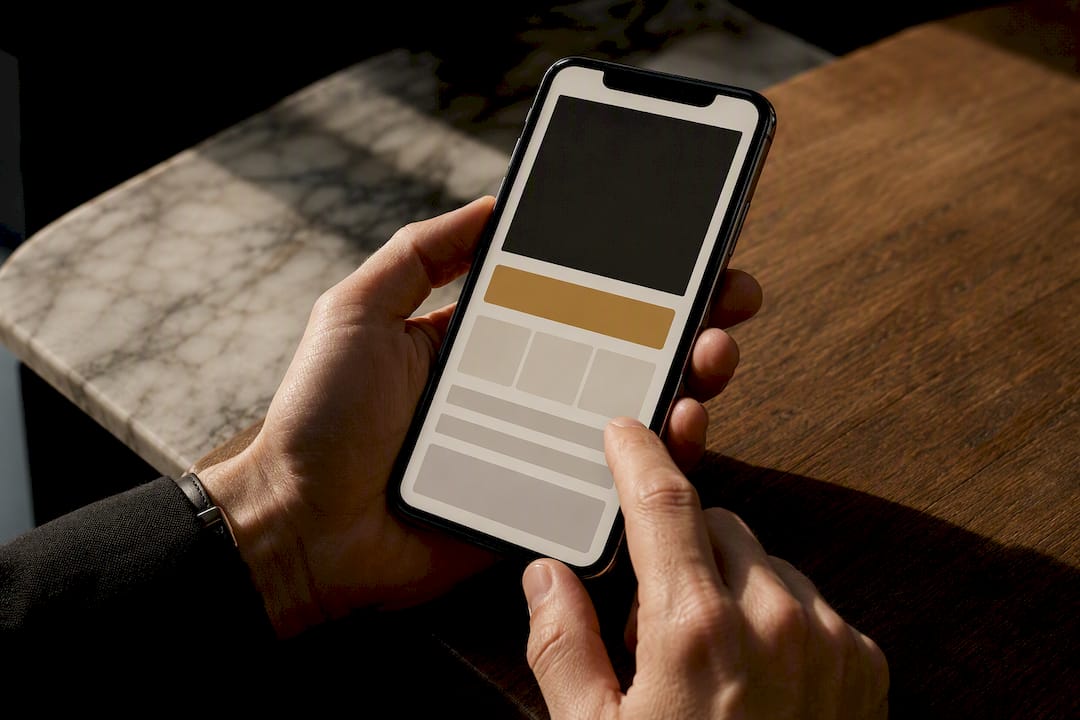
Product and detail pages work best as single-column layouts with the most important information (price, availability, primary action) visible without scrolling. Forms should ask for one thing at a time; a single-column form with large, well-spaced fields consistently outperforms a cramped multi-column layout on a small screen.
For conversion-focused flows specifically, prioritize:
- A visible, thumb-reachable call-to-action above the fold.
- Minimal form fields, asking only for what's truly needed to move the visitor forward.
- Trust signals (reviews, certifications, local presence) placed early, not buried at the bottom.
- Clear visual separation between primary and secondary actions, so visitors don't accidentally tap the wrong one.
If you want a closer look at how hero sections specifically should be structured for that first five seconds of attention, this breakdown of homepage hero best practices covers what to keep and what to cut.
What Tools Help With Mobile-First Design and Testing?
Different phases of a mobile-first project call for different tool categories, and picking the right one at the right stage saves rework later.
- Prototyping and wireframing: Tools like Figma or Adobe XD let you build mobile-width frames first, then duplicate and expand for larger breakpoints.
- Design systems: A shared component library keeps spacing, type scale, and tap target sizing consistent as the project scales across screens.
- Real-device testing: Physical device labs or cloud-based real-device testing platforms surface interaction issues that emulators miss entirely.
- Performance auditing: Lighthouse and PageSpeed Insights measure LCP, FCP, and other Core Web Vitals directly against real-world thresholds.
- Accessibility checkers: Tools like axe or WAVE catch contrast, tap target, and screen-reader issues before launch. Pairing accessibility checks with your mobile audit tends to pay off twice, since accessible design choices frequently overlap with SEO gains.
Match the tool to the phase: prototype loose and fast early on, then tighten up with performance and accessibility audits once the layout stabilizes.
Mobile-First vs. Responsive Design: What's the Real Difference?
Responsive design is a technique, mobile-first is a starting point and a mindset. A responsive site can be built desktop-first and simply scaled down, which often carries over unnecessary complexity. Mobile-first design forces prioritization from the very first wireframe, then scales up deliberately.
- Choose mobile-first when your primary traffic is mobile or your content needs aggressive prioritization.
- Use responsive techniques (media queries, flexible grids) as the mechanism that makes mobile-first layouts adapt cleanly to larger screens.
- In practice, the two work together: content-first prioritization drives the design decisions. Responsive CSS carries those decisions across every screen size.
A Practitioner's Take on Mobile-First Trade-Offs
Most mobile-first projects don't fail on technique. They fail because stakeholders never agreed on what gets cut. Someone always wants the desktop-era feature list preserved on a phone screen, and that fight needs to happen at the wireframe stage, not after development starts.
Incremental adoption beats a full rebuild for most small businesses. Start with your highest-traffic page, measure load time and conversion changes, then expand. And don't mistake "mobile-first" for "desktop doesn't matter." The best mobile-first sites still feel intentional and polished at 1920 pixels wide, because the hierarchy decisions made for mobile tend to translate into cleaner desktop layouts too.
— Elijah
If your current site was built desktop-first and it's showing in your mobile bounce rate, that's a rebuild conversation worth having. Custom, mobile-first websites for contractors, retailers, and service businesses can be hand-coded with performance and local SEO integrated from the first wireframe rather than added afterward. Explore small business web design built around your customers' actual devices, or see how the approach applies to trades specifically with plumbing company website design. Pair a faster site with better client follow-up using Kirk CRM; see the site for current pricing and trial details.
Sources
- Mobile-First Design: A Complete Guide With Examples and Best Practices (2026)
- Mobile First Design: What it is & How to Implement it | BrowserStack
- A guide to mobile-first design: 5 best practices for designing for mobile | Webflow Blog
- Mobile-First Responsive Web Design | Brad Frost
- Pew Research Center: Internet/Broadband fact sheet
FAQ
What Is Mobile-First Design?
Mobile-first design is a process that starts by designing for the smallest screen size, then progressively adds features and layout complexity for larger devices like tablets and desktops.
Is Mobile-First Design Still Relevant?
Yes. With mobile devices holding a majority share of web traffic and Google using mobile-first indexing to rank sites, designing mobile-first remains one of the most reliable ways to improve both usability and search visibility.
What Does Mobile-First Design Mean in Practice?
In practice, it means your wireframes, content decisions, and CSS all start at mobile width first. Larger screens receive enhancements, like added navigation options or expanded layouts, rather than being the default starting point that gets stripped down.
What Is a Major Advantage of Using Mobile-First Design?
One of the clearest advantages is performance: designing for constraints upfront reduces bloat and prioritizes critical content, which speeds up load times and improves the experience for every visitor, regardless of device.