
A sitemap tells search engines which pages exist and asks them to look. Robots.txt tells crawlers which URLs they may or may not request in the first place. They solve different problems, and most sites need both, kept in sync. When a sitemap lists a URL that robots.txt blocks, you have a contradiction that wastes crawl budget and confuses Google Search Console, so fix the mismatch as soon as you spot it.
TL;DR:
- A sitemap listing pages that robots.txt blocks creates a contradiction, wasting crawl budget and confusing search engines, so it must be corrected immediately.
- Sitemaps are files that indicate content to search engines, but search engines can crawl or ignore pages regardless of sitemap entries, as they are merely suggestions.
- Robots.txt controls which URLs crawlers can request, but blocking a page with Disallow does not guarantee removal from search results, requiring noindex tags or password protection instead.
- Conflicts occur when a URL appears in the sitemap but is disallowed in robots.txt; fixing this involves either removing the URL from the sitemap or allowing it in robots.txt.
- Regularly auditing and updating both the sitemap and robots.txt files is essential, especially after site launches or migrations, to prevent indexing issues and maximize crawl efficiency.
Table of Contents
- Sitemap vs Robots.txt: What an XML Sitemap Actually Does
- What Robots.txt Actually Controls
- How Sitemaps and Robots.txt Actually Interact
- A Practical Checklist for Aligning Sitemaps and Robots.txt
- How to Check and Validate Both Files
- Where to Put Your Effort First
- Setting Up Sitemaps and Robots.txt Without the Guesswork
- Sources
Sitemap vs Robots.txt: What an XML Sitemap Actually Does
An XML sitemap is a file that lists your pages, images, videos, or other assets so search engines can discover your content faster than they would by following links alone. For sites with more URLs than one file can hold, a sitemap index groups multiple sitemap files under one reference point, which Google then crawls like a table of contents.
You'll find sitemap files at predictable spots, usually /sitemap.xml or /sitemap_index.xml at the site root, though the exact path varies by content management system.
Sitemaps earn their keep on specific kinds of sites. A 400 page e-commerce catalog, a brand new site with almost no inbound links, a media library full of images and video, or a blog with orphan pages buried three clicks deep all benefit from a sitemap pointing crawlers straight at the content. Each sitemap entry can carry metadata like lastmod (when a page last changed) to help crawlers prioritize revisits. A single sitemap file has recommended size limits to ensure efficient crawling, so very large sites usually need multiple sitemap files.
Here's the part people miss: a sitemap is a request, not a command. Google can crawl and index a page whether or not it appears in your sitemap, and it can just as easily ignore a page that does. Think of it as a strong hint rather than a guarantee.
What Robots.txt Actually Controls
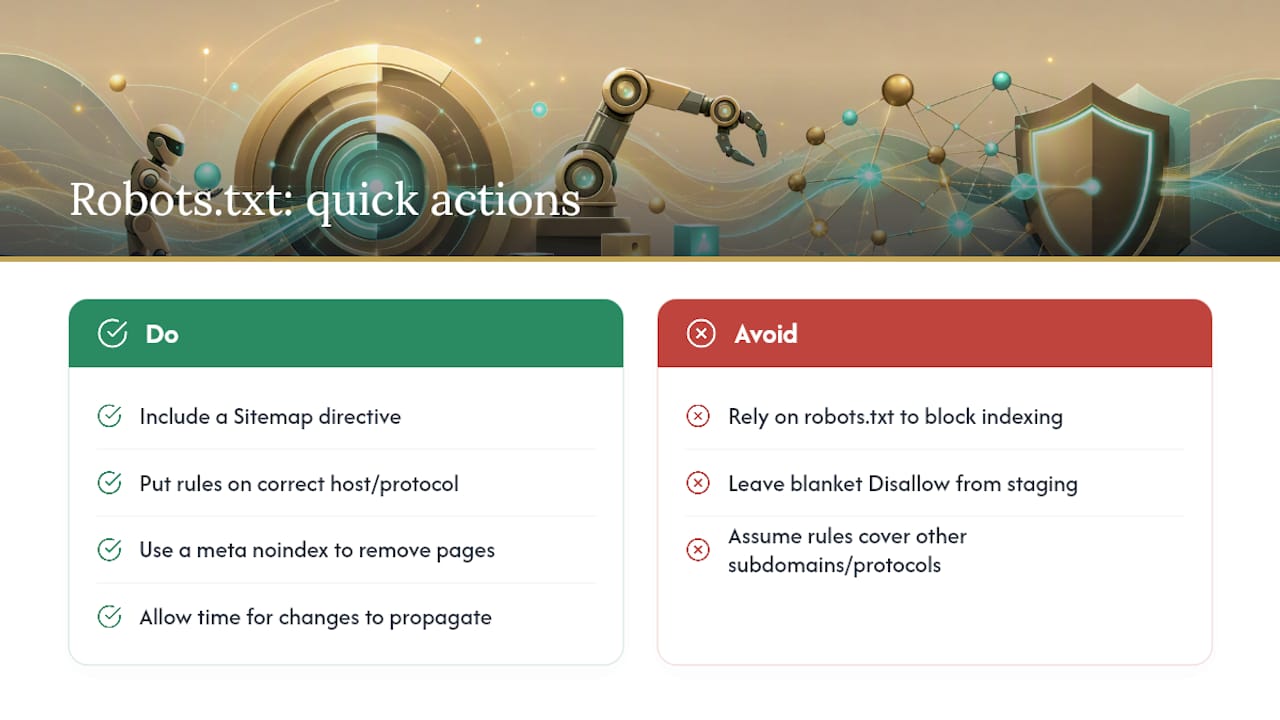
Robots.txt is a plain text file sitting at your domain's root that tells compliant crawlers which URLs they're allowed to request. It governs crawling, not indexing, and that distinction trips up more site owners than any other technical SEO concept.
The file runs on a handful of directives. User-agent names which crawler the rule applies to (Googlebot, Bingbot, or a wildcard for all of them). Disallow blocks a path from being crawled. Allow carves out exceptions within a disallowed directory. Sitemap points crawlers to your sitemap location, which we'll cover next.
Robots.txt only applies to the exact protocol and host it lives on. A rule on https://example.com/robots.txt doesn't cover http://example.com or a blog.example.com subdomain. Crawlers also cache the file for a while rather than checking it on every request, so changes don't take effect instantly.
Here's the mistake that costs businesses real search visibility: Disallow doesn't reliably keep a page out of search results. Google has been explicit that a blocked URL can still show up in results, often as a bare link with no description, if other sites link to it. If your goal is genuinely removing a page from search, use a noindex meta tag or password protection instead, since both require the page to be crawlable to take effect. The most common misconfiguration we see is a blanket Disallow: / left over from staging, silently blocking an entire live site from Google.
How Sitemaps and Robots.txt Actually Interact
The connection point between the two files is the Sitemap: directive. The Sitemaps protocol lets you add a line like Sitemap: https://example.com/sitemap.xml inside robots.txt, using a full absolute URL rather than a relative path. Crawlers request robots.txt almost immediately when they hit a new site, which makes it a dependable spot to advertise where your sitemap lives, even at a nonstandard location.
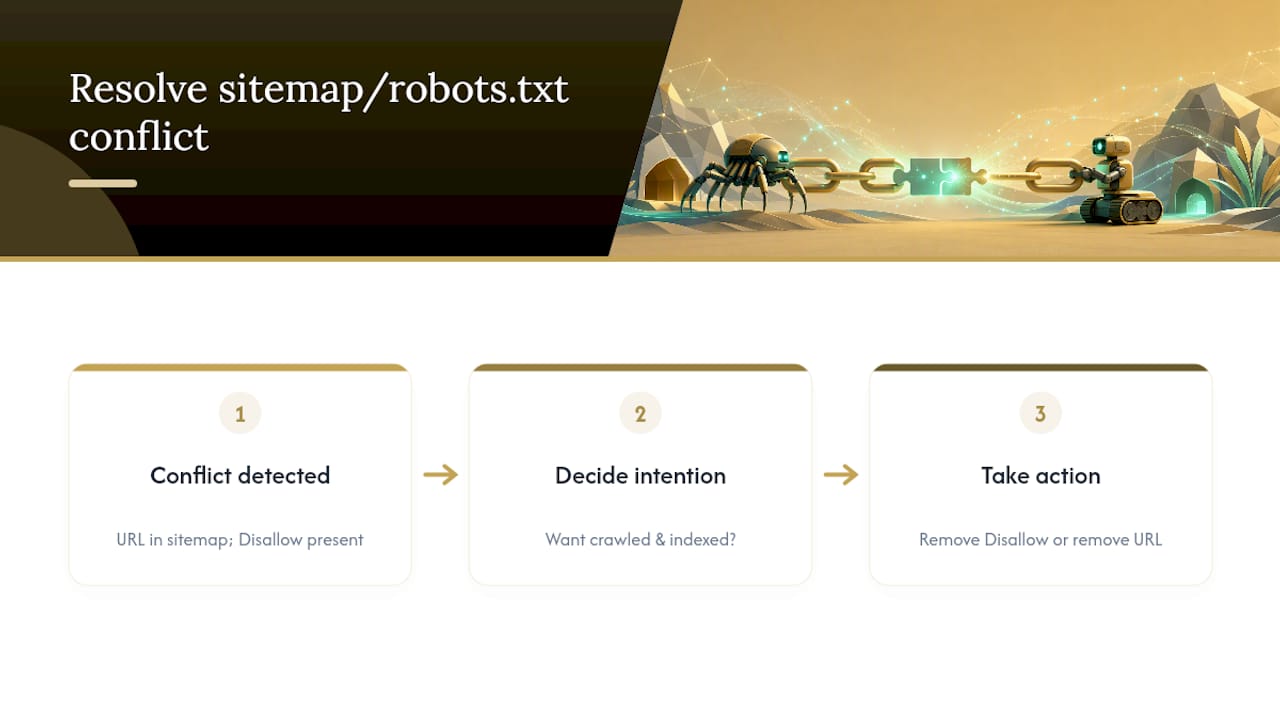
Conflicts show up in a specific, recurring pattern: a URL sits in your sitemap, but a Disallow rule in robots.txt blocks the exact same path. Pick one intention and commit to it. If you want that page crawled and indexed, remove the Disallow rule. If you don't want it crawled, pull the URL out of your sitemap. Leaving both in place just tells Google your own files disagree with each other.
The noindex tag creates a related trap. Since noindex lives in a page's HTML or HTTP header, Google has to crawl the page to see the instruction. Blocking that same page in robots.txt prevents the crawl entirely, which means the noindex tag never gets read, and the page can still appear in results anyway.
When Search Console shows "submitted but not indexed" or "blocked by robots.txt," start by pulling the raw robots.txt file and checking the flagged URL against every Disallow rule, including wildcard patterns that might catch it unintentionally.
A Practical Checklist for Aligning Sitemaps and Robots.txt
Run through this list any time you launch a site or push a significant update:
- Keep only canonical, indexable URLs in your sitemap, since Yoast's guidance is clear that redirects, blocked pages, and 4xx or 5xx errors have no business in a sitemap file.
- Add a
Sitemap:line to robots.txt pointing to your sitemap's absolute URL. - Confirm the sitemap file itself isn't accidentally caught by a
Disallowrule. - Use a sitemap index once you're managing more than one sitemap file, for products, blog posts, and locations separately.
- Reach for
noindexinstead ofDisallowwhenever a page needs to stay out of search results but still needs to be crawlable.
Audit this pairing quarterly, and always again right after a site migration or a major content release, since both events are prime territory for stale rules and orphaned sitemap entries.
Pro Tip: Place your Sitemap: lines outside any User-agent block, not nested inside one. They apply globally regardless of position, but keeping them separate avoids confusion when someone else edits the file later.
How to Check and Validate Both Files
- Pull up
yourdomain.com/robots.txtandyourdomain.com/sitemap.xmldirectly in a browser to confirm both load and contain what you expect. - Submit your sitemap in Google Search Console under the Sitemaps report, then watch for "Success" versus "Couldn't fetch" status.
- Run the robots.txt tester in Search Console, or a third-party robots.txt validator, to confirm your rules block or allow exactly what you intend.
- Use URL Inspection on a handful of key pages to see whether Google's actual crawl behavior matches your rules.
- Cross-reference Search Console's coverage flags against your sitemap list to catch any contradictions between the two files before they cost you rankings.
Engineers comfortable with the command line can speed this up further with a quick curl request against both files to confirm response codes and content before deploying.
Where to Put Your Effort First
Robots.txt deserves the bulk of your attention on large, mature sites drowning in faceted navigation, filter parameters, or duplicate paths, where wasted crawl budget is the real enemy. Sitemap quality matters more on new domains, fast-moving content sites, and anything media-heavy, where discovery, not crawl waste, is the bottleneck.
Either way, don't treat this as a set-it-and-forget-it task. Audit both files quarterly and again after any major release. If you'd rather hand this off, our SEO-friendly web design checklist covers the broader technical setup these files fit into.
— Elijah
Setting Up Sitemaps and Robots.txt Without the Guesswork
Getting a sitemap and robots.txt file to agree with each other sounds simple until you're staring at a Search Console error with no idea which file is lying to you. Professional web design services can include the creation of accurate sitemap structures, clean robots.txt rules, and ongoing technical monitoring to ensure these two files work in harmony.

DIY works fine for a five-page site with no e-commerce and no plans to grow. Once you're running a multi-location service business, a product catalog, or a site with real complexity, in-house engineering time gets expensive fast, and a small misconfiguration (like that leftover Disallow: / from staging) can quietly tank your visibility for weeks before anyone notices. If your last site migration left orphaned sitemap entries or blocked pages you didn't know about, our site migration SEO checklist walks through the cleanup.
Ready to stop troubleshooting crawl errors on your own? Visit our small business web design page to see how we build technical SEO into every project from day one, and get a quote for your site.
Sources
- What Is a Sitemap | Google Search Central | Documentation | Google for Developers
- Sitemaps
- What is an XML sitemap and why should you have one? | Yoast
- XML Sitemaps & Robots.txt: Crawl Budget Done Right (2026)