
Yes, your business website needs HTTPS, no exceptions. For most small businesses, a free domain-validated (DV) certificate through your host or Let's Encrypt, with automatic renewal turned on, is the right call. Pay for a certificate only if procurement rules demand organization validation, or your setup can't automate renewals safely.
TL;DR:
- Most small businesses can rely on free domain-validated certificates from their hosting provider or Let’s Encrypt, as they offer sufficient security and automatic renewal.
- SSL certificates primarily serve encryption and identity verification, helping prevent data interception, impersonation, and broken integrations, while supporting SEO and customer trust.
- Wildcard and multi-domain certificates have specific coverage limitations and validation levels, often unnecessary for small businesses unless dealing with multiple subdomains or external domains.
- Automation of certificate renewal is critical, especially with 60 to 90 day cycles for free certificates, to prevent outages caused by expired certificates.
- Upgrading to paid certificates adds validation complexity but is rarely necessary unless requiring specific organizational validation or support features.
Table of Contents
- What Is an SSL Certificate, and How Does HTTPS Actually Work?
- Why Small Businesses Can't Skip SSL Anymore
- DV, OV, EV, Wildcard, and SAN: Which Certificate Type Fits Your Site?
- How to Get, Install, and Renew Your SSL Certificate
- What Does an SSL Certificate Cost?
- The Pitfall Nobody Warns You About: Expired Certificates
- Does SSL Slow Down Your Website?
- SSL, Privacy Law, and Compliance: What Owners Should Know
- What I'd Prioritize First If I Were You
- Let Kirk & Co Handle Your SSL So You Never Think About It Again
- Sources
- FAQ
What Is an SSL Certificate, and How Does HTTPS Actually Work?
An SSL certificate is a small file that proves your website's identity and hands over the public key browsers need to build an encrypted connection. It's the digital equivalent of a notarized ID card combined with a locked mailbox. Together, the certificate and the TLS protocol it enables create HTTPS, the secure version of the web address your customers type in.
Here's what actually happens when a visitor lands on your site. Their browser asks your server for its certificate, checks that a trusted certificate authority (CA) issued it, and then uses the public key to negotiate an encrypted session. That padlock icon in the address bar shows up only after that handshake succeeds.
It helps to separate two jobs the certificate does. One is encryption: scrambling the data moving between your visitor's browser and your server so no one snooping on the connection can read it. The other is identity verification: confirming that the site claiming to be yourbusiness.com is actually run by you and not an impersonator. A certificate with no valid identity check behind it (like a self-signed one) can technically encrypt traffic, but it won't earn browser trust, and visitors will see a warning instead of a padlock.
Why Small Businesses Can't Skip SSL Anymore
Skipping HTTPS costs you customers before they even read your homepage. Chrome and other major browsers flag any HTTP page collecting information as "Not Secure," and that warning shows up right in the address bar, often the first thing a new visitor notices.
Payment processors and many third-party tools, from booking widgets to review plugins, require HTTPS to function at all, so an unsecured site can quietly break features you're paying for. HTTPS also functions as a technical SEO baseline: Google treats it as a lightweight ranking factor, meaning it won't push a mediocre site to page one, but its absence can hold back an otherwise solid one, according to Digicert's guidance on certificate validity.
Beyond browser warnings and SEO, encryption itself matters. Without it, anyone on the same coffee shop Wi-Fi as your customer could theoretically intercept form submissions, login credentials, or payment details in transit.
Here's what SSL directly protects against:
- Data interception on public or shared networks
- Site impersonation by scammers spoofing your domain
- Broken integrations with payment gateways and booking tools
- Lost conversions from visitors who bail at a security warning
- SEO underperformance tied to a missing technical baseline
DV, OV, EV, Wildcard, and SAN: Which Certificate Type Fits Your Site?
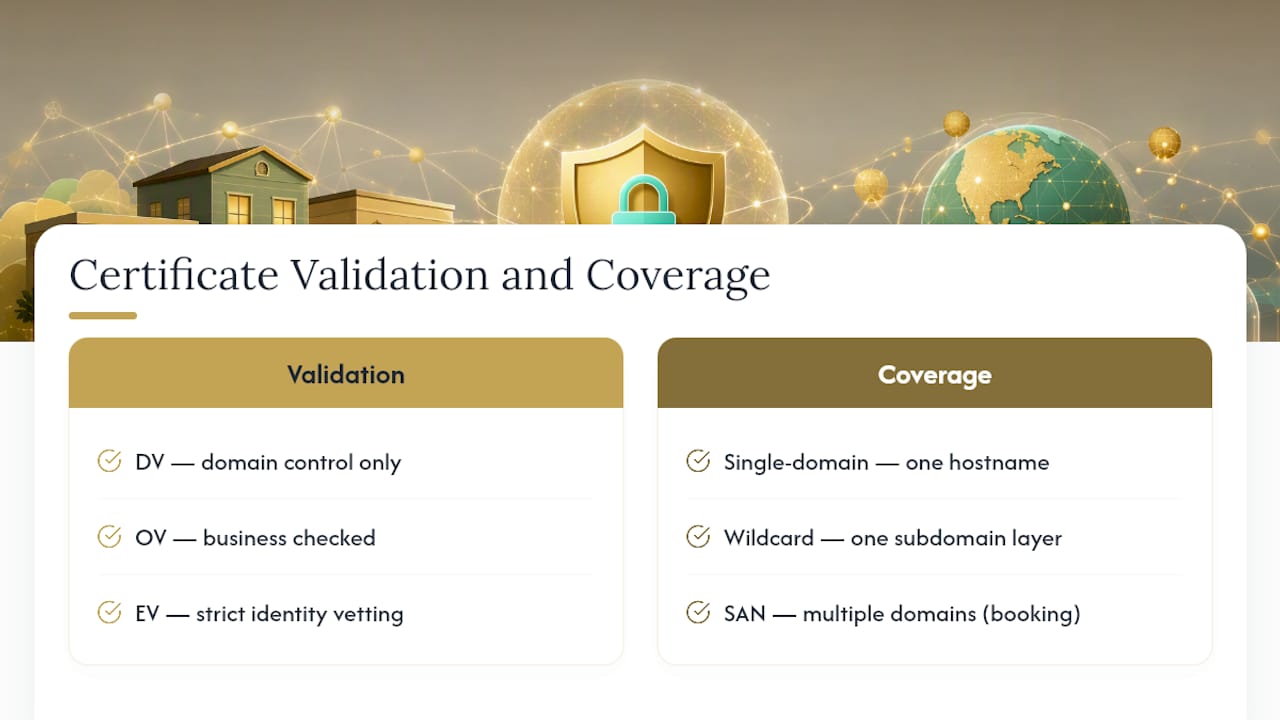
Certificate types differ in how much identity checking happens before issuance, not in encryption strength. A domain-validated (DV) certificate only confirms you control the domain, which takes minutes and usually happens automatically. That's genuinely enough for the overwhelming majority of small business sites, from a landscaping company's brochure page to a boutique's online store.
Organization Validation (OV) and Extended Validation (EV) certificates add real paperwork. A certificate authority checks your business registration and sometimes calls to confirm you exist, based on the public key infrastructure model these authorities operate under, as AWS explains in its overview of SSL certificates. That extra vetting matters mainly for procurement requirements, financial services, or B2B contracts where a partner's security team specifically asks for OV or EV documentation. Most retail and service businesses will never encounter that requirement.
Coverage is a separate decision from validation level. A wildcard certificate (like *.example.com) covers one subdomain layer under your main domain, so it protects shop.example.com and blog.example.com, but not admin.shop.example.com. Multi-domain (SAN) certificates cover several distinct domains on one certificate, useful if you run a main site plus a separate booking domain. Businesses with nested subdomains need to map out coverage carefully. Wildcard scope gaps are a common surprise for sites that grow their subdomain structure over time.
How to Get, Install, and Renew Your SSL Certificate
Start by checking what you already have before spending a dollar or an hour on this.
- Check your host first. Most modern web hosts, including shared hosting, WordPress hosts, and platforms like Netlify or Vercel, provision a free certificate automatically the moment you point your domain at them.
- Self-hosting or on a VPS? Use Let's Encrypt. An ACME client like Certbot or a web server such as Caddy handles issuance and renewal for you. Free ACME certificates run on 60 to 90 day cycles, so automation isn't optional, it's the whole point.
- Consider Cloudflare Universal SSL. Routing your site through Cloudflare's proxy gets you a free certificate with automatic issuance and renewal handled at the edge, though it does mean Cloudflare terminates TLS between visitors and its network.
- Manual CSR route, if a CA requires it. Generate a certificate signing request, submit it to your chosen CA, install the returned certificate plus its intermediate chain, and test the install with a free SSL checker.
Pro Tip: After any install or renewal, run your domain through an SSL checker tool to confirm the full certificate chain loaded correctly. A missing intermediate certificate is invisible on desktop Chrome but breaks the padlock on some mobile browsers.
Build a renewal habit regardless of which path you pick: know your expiration date, set a calendar reminder or uptime monitor, and confirm automated renewal actually ran rather than assuming it did.
What Does an SSL Certificate Cost?
Free is the right price for most small business websites. Let's Encrypt, Cloudflare, and most hosting bundles issue DV certificates at no charge, and free DV provides the same encryption strength as a paid DV certificate. There's no security tier you're missing out on.
Paid certificates earn their cost through OV/EV identity vetting, longer manual validity cycles, vendor support lines, and warranty coverage some enterprise buyers require. Prices for commercial certificates range broadly depending on validation level and issuer, and procurement teams sometimes specify a paid cert simply because their policy requires one. Before buying anything separately, check whether your hosting plan already bundles a certificate. Many do.
The Pitfall Nobody Warns You About: Expired Certificates
Certificate expiration, not a hacking attempt, is the most common cause of SSL-related outages for small business sites. A cert quietly lapses, and visitors suddenly see a full-page browser warning instead of your homepage.
Free ACME certificates renewing every 60 to 90 days make automation essential rather than optional. If your setup can't run automated renewal reliably, a longer-lived paid certificate lowers the odds of a human missing the deadline.
Watch for these operational traps:
- Wildcard certificates using DNS validation require API access to your DNS provider, which not every registrar supports
- Mixed content warnings after migration, when images or scripts still load over HTTP
- Missing redirect rules that leave the old HTTP version reachable
- No HSTS header, which would otherwise force browsers to HTTPS automatically
A security checklist covering these items alongside broader site hardening is worth keeping on hand.
Does SSL Slow Down Your Website?
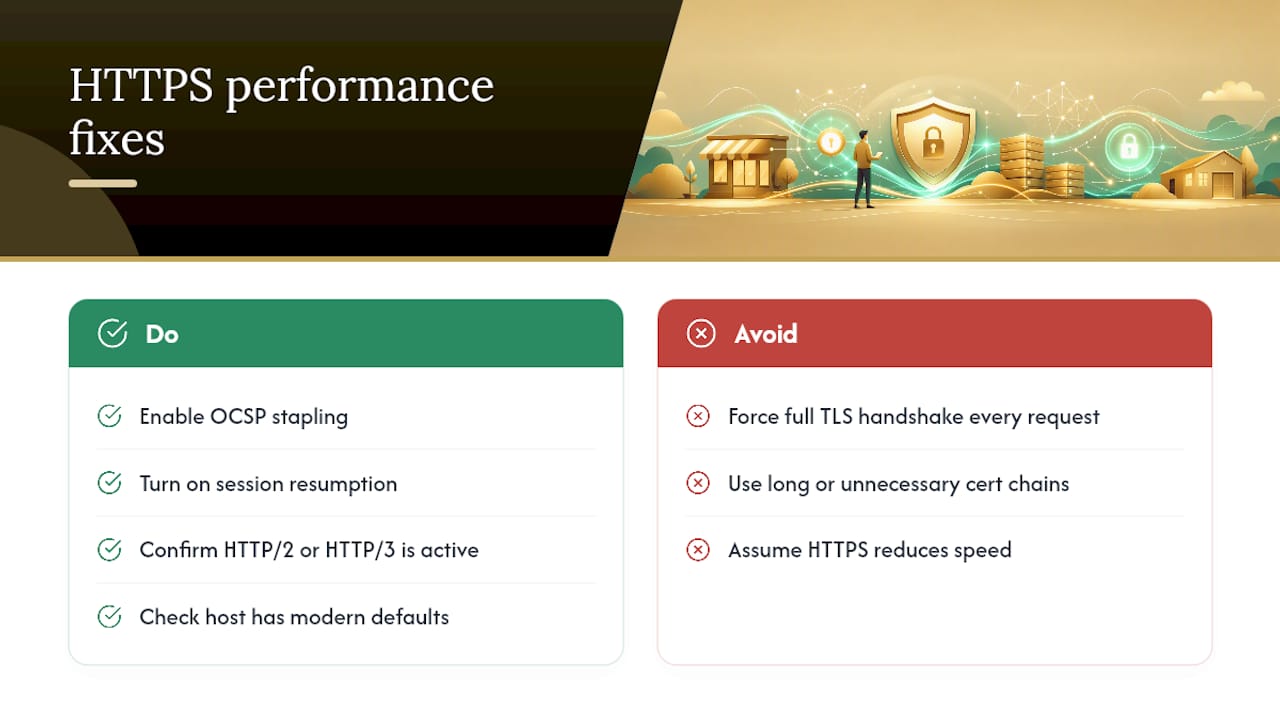
Modern TLS adds a negligible amount of overhead, and any small delay from the encryption handshake is easily offset by faster protocols that only work over HTTPS. HTTP/2 and HTTP/3, both meaningfully faster than the older HTTP/1.1, require an encrypted connection to function at all, so switching to HTTPS often improves load speed rather than hurting it.
Where performance problems actually show up is misconfiguration, not encryption itself. A server forcing a full TLS handshake on every request instead of reusing sessions adds unnecessary latency. Certificate chains that are too long, or that include unnecessary intermediate certificates, add extra round trips before the browser can render anything.
A few concrete fixes matter more than people expect:
Enable OCSP stapling. This lets your server include certificate validity proof with the initial response, so the browser skips a separate verification round trip.
Turn on session resumption. Returning visitors reconnect faster when your server can reuse a previous TLS session instead of renegotiating from scratch.
Confirm HTTP/2 or HTTP/3 is active. Many hosts enable this automatically once HTTPS is live, but it's worth a manual check, especially on older shared-hosting accounts.
For most small business sites, none of this requires deep server administration knowledge, just confirming your host has the modern defaults switched on. Sites with speed problems after adding SSL almost always have an unrelated performance issue that the certificate simply revealed.
SSL, Privacy Law, and Compliance: What Owners Should Know
Encryption and privacy compliance are related but distinct obligations, and conflating them is a common mistake. HTTPS protects data in transit; it doesn't automatically make you compliant with a privacy regulation.
That said, regulations increasingly assume encryption as a baseline. Under the GDPR's security requirements, which apply if you collect data from EU visitors, encrypting personal data in transit is treated as a standard technical safeguard, and running an unencrypted site collecting names, emails, or payment details would be difficult to defend as reasonable security practice. Similar expectations show up in US state privacy laws and payment card industry (PCI) requirements for any business processing card payments directly on its site.
None of this means a certificate alone satisfies your compliance obligations. You still need a privacy policy, a lawful basis for data collection, and reasonable safeguards around how you store what you collect. HTTPS is one piece of that picture, and typically the easiest one to check off.
What I'd Prioritize First If I Were You
Get HTTPS live today through your host's free option or Let's Encrypt, then verify auto-renewal actually fires before the expiration date arrives. Everything else, wildcard scope, OV paperwork, paid support contracts, is a later decision you make only once a specific business need forces it.
— Elijah
Let Kirk & Co Handle Your SSL So You Never Think About It Again
A custom-coded website solution can include HTTPS setup, renewal monitoring, and hosting bundled together instead of requiring separate management.

If you've read this far, you already know the real risk isn't choosing DV over EV, it's a certificate quietly expiring while you're busy running your business. That's the gap a monthly plan closes: renewal monitoring, hosting, and site maintenance handled together instead of stitched from three different vendors. The Starter Business Manager plan runs $49 per month and covers exactly this kind of ongoing technical upkeep, while Business Manager Premium at $79 per month adds more room for a growing site. If you're starting from scratch, our custom website design service builds security and performance in from day one rather than bolting it on later. Check current plan details and get started at Kirk-co.
Sources
For readers who want to go deeper on the technical side, Cloudflare's SSL learning hub covers how certificates and TLS handshakes work. AWS's overview of SSL certificates explains the certificate authority and validation model in more depth. For a practical breakdown of free versus paid options, see Certimon's 2026 analysis, and for the operational side of certificate lifespans, OIT Colorado's write-up on expiration changes is worth bookmarking. Readers checking their own configuration can also run diagnostics through a technical SEO toolkit.
- Do You Actually Need to Buy an SSL Certificate in 2026? | Certimon
- SSL certificate expiration dates are changing | OIT Colorado
FAQ
How much should I pay for an SSL certificate?
Most small businesses should pay nothing, since free DV certificates provide the same encryption as paid ones. Paying only makes sense when a partner or procurement policy specifically requires OV or EV validation, or when you want a support contract and warranty attached.
Can I get a free SSL certificate?
Yes. Let's Encrypt, Cloudflare's Universal SSL, and most modern web hosts issue free domain-validated certificates automatically, with renewal handled through ACME automation. This covers the vast majority of small business websites without any added cost.
Do I really need an SSL certificate?
Yes, without exception. HTTPS prevents browser security warnings that drive visitors away, supports payment processing integrations, and functions as a baseline technical SEO requirement, even though it won't single handedly boost your rankings.
How much does a 1-year SSL certificate cost?
Free DV certificates through Let's Encrypt or your host don't have an annual fee at all, though they renew every 60 to 90 days automatically. Paid one-year certificates with OV or EV validation vary in price by issuer and validation level, so check pricing directly with the certificate authority your procurement policy specifies.